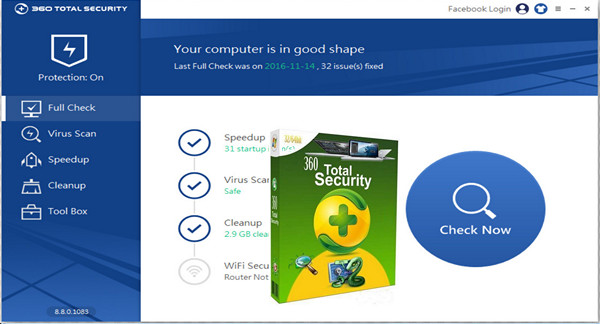
360 Total Security protects you from viruses, malware, and other dangers that threaten your computer while you browse the web. It is one of the best free antivirus programs on the market.
The program can clean your computer by removing unnecessary files that take up disk space. 360 Total Security can also identify programs that launch automatically when your computer starts up and could slow it down, and offers to disable those you don't need.
360 Total Security's antivirus uses 5 engines, including the 360 Cloud Engine (designed by Qihoo, the creator of Total Security), QVMII, Avira and Bitdefender.
360 Total Security also gives you the option to install a browser extension. This way, the antivirus will alert you as soon as you open a suspicious website or if updates are needed.
A clear interface
Optimization, efficiency, and speed are the words that come to mind when describing the 360 Total Security interface. Right from the start, you have the option to launch a quick PC cleanup (acceleration, freeing up space, and antivirus) in just a few minutes. At the start of each process, the software displays a timer… which shows how proud it is of its execution speed!
The interface clearly displays the specific options for each function. In the Antivirus section, for example, you can choose between a quick scan, a full scan, or a manual scan, and you can also select which engines to activate. The speed-up and cleaning functions are just as easy to configure.
New features in this version:
* Add: Top quality adhesion – full protection without ADS and animated theme to Dress Up your total safety.
* Add: Game Booster – maximize your game performance.
* Add: Connect 3.0 – send the message from PC
* Add: Link 3.0 – Full Remote Virus Scanning
* Add: Link 3.0 – PC capture screenshot
* Fix: Bug fixes
Configuration:
– Windows (x32/x64 Bits): XP, Vista, 7, 8, 8.1, 10
– Processor: 3GHz
– RAM: 512 MB
– Disk space: 90 MB
Facility :
1. Perform the normal installation 360TS_Setup_9.0.0.1085.exe
- Language : English
- Size : 48.0 MB
This article was updated on January 1, 2017