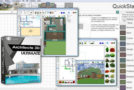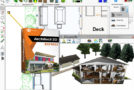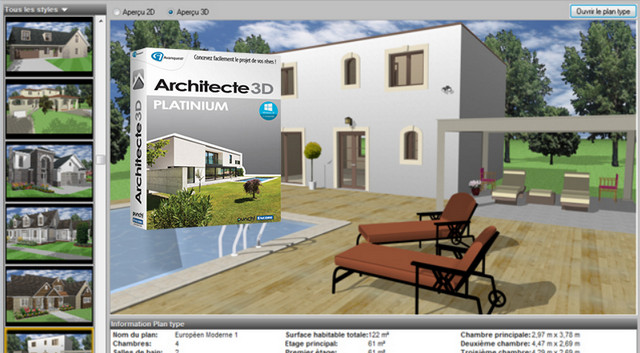
Create your house in 3D from the cellar to the attic: kitchen, living room, bedrooms, bathrooms, swimming pool…
Furnish your home down to the smallest detail: walls, windows, doors, fireplace, cupboards, verandas…
Furnish the rooms using a 3D furniture library with over 2600 objects, textures…
Personalize your home and furniture with numerous features
Create your own 3D objects using the 3D object creation workshop and its ultra-powerful CAD tools: create from scratch, modify one of the 1700 models in the library or import an object created using AutoCAD, ViaCAD, Shark, and Google Sketchup.
Insert your own images for a more realistic rendering.
Customize the textures and materials used: roofing, stone, brick…
Design the plans for your garden as well as the topography of your land.
Create your swimming pool
Visit & Viewing
Design the plans and visit your future home in 3D!
Visit your future home by moving from room to room.
Visualize your project at different times of day with the sun positioning tool.
Create a video overview of your project
Generate the plans to create a 3D paper model
View the rough structure and technical plans of the house: frame, beams, plumbing, heating, ventilation and electricity
Management & Consulting
Advanced cost estimation tool for automatic calculation of expense amounts
Eco-friendly tips to save energy and money!
3D creation module
Draw and modify 2D and 3D objects
Convert 2D objects into 3D objects
Strengths
Complete: Design your entire house and garden: rooms, foundations, furniture, openings…
Simple: A Punch! Software product recognized for its quality and acclaimed by the press (No. 1 in Micro Hebdo, Micro Actuel and PC Mag).
A product suitable for those who have some knowledge or who are starting out but want to go into detail about their project.
Universal: Architect 3D works with the most common PC operating systems including Windows 8 and 10. In addition, Architect 3D is compatible with the most common 3D design software (AutoCad®, 3DS Studio Max…).
ONLY IN THE ULTIMATE VERSION:
3D modeling tool
Creation of individual 3D objects (furniture, windows, doors, etc.)
LightWorks 3D Rendering: very high quality and photo-realistic rendering
Library of "Home cinema" objects (TVs, speakers, projectors, satellite dishes...
Tracing scanned plans
Minimum configuration
Platform: Windows 10, 8.1, 8, 7. (32/64 bits)
Pentium 1 GHz processor or equivalent, 512 MB of RAM
5.5 GB of available disk space
3D video card (1024*768 min 32 bits)
Facility
1 BEFORE INSTALLING THE SOFTWARE, EDIT YOUR HOST FILE AND COPY THE LINES BELOW.
Modification of the "hosts" file
Using Explorer, go to C:\windows\system32\drivers\etc/
Copy and paste the "hosts" file onto your desktop
Right-click on the "hosts" file on your desktop > "open with", uncheck: Use this app for all files…; then choose "Notepad" (or Notepad).
Add the following lines:
127.0.0.1 tools.avanquest.com
127.0.0.1 api.avanquest.com
127.0.0.1 www.avanquest.com
127.0.0.1 aims.avanquest.com
Close, save the changes!
Copy your "hosts" folder from the desktop and paste it into C:/Windows/System32/drivers/etc/, accept the replacement, and grant administrator privileges.
2. Mount the app or burn the ISO
3. Follow the installation wizard
4. Launch the keygen and copy your serial number
- Language: French
- Size: 1.78 GB
This article was updated on July 22, 2016