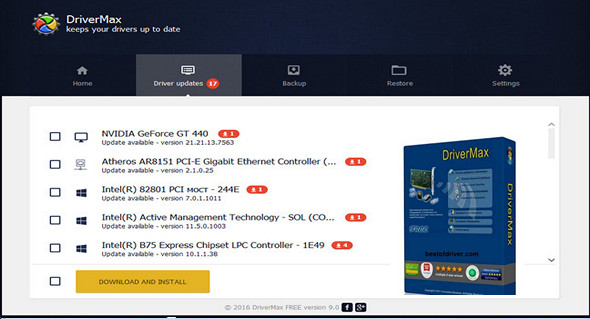
DriverMax is a utility for backing up, downloading, and installing the latest driver updates for your computer. In addition, DriverMax displays information about the drivers installed on your system and prints a list of devices that use them. It provides information about the driver version, date, developer, number of files, and includes a digital signature.
DriverMax identifies the drivers installed on your system and allows you to back them up in case you reinstall the system. The program is very easy to use and allows you to quickly install the system drivers stored in the archive.
The program will help you easily and quickly reinstall all the device drivers necessary for the proper functioning of your devices on your Windows computer. Simply export them to a folder or file, and after reinstalling Windows, you can install everything you need from a single source.
Main features:
– Ability to check for the presence of the latest driver versions.
– Make a backup copy of all installed drivers in the specified folder.
– Provides details of all drivers, including version, release date, etc.
– Create a detailed report (TXT / HTM) of the drivers.
– Ability to create an archive with driver backups.
– Import assistant to install drivers from the saved copy.
What's new :
Driver update for all hardware devices, and faster downloads.
Configuration:
– Windows (x32/x64 Bits): XP, Vista, 7, 8, 8.1, 10
– Processor: 1 GHz
– RAM: 512 MB
– Disk space: 20 MB
Facility :
Run the file drivermax_9.37.0.254.exe
Language Multilingual (including French)
Size 5.5 MB
This article was updated on July 30, 2017