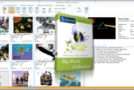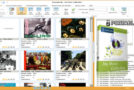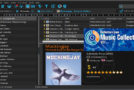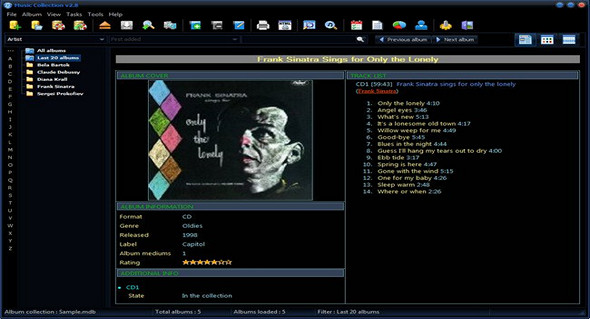
Music Collection is an application that includes tools to help you manage your music collection in a database. It is suitable for both advanced and less experienced users. The program interface is a standard window with a well-defined layout, where you can create a new database by specifying the output directory and filename. Music Collection only supports Microsoft Access files (MDB format).
Adding a new album to the list involves filling in certain information regarding album data (e.g. Title, media number, tracks, additional features, web link), average data (e.g. Performer, composer, credit, status, ratings, location), lyrics, and album cover.
You can insert as many records as you want into the database or sort them according to different criteria (e.g., artist, genre, format, label), switch between album and track display mode, or display albums with images.
It is also possible to edit album properties or delete albums from the database, export an album in HTML format, add an artist biography, back up and restore data, manage loans and collection covers, search for an album or track, and view statistics and report generation.
Features:
• The program creates the collection database in a Microsoft Access format, so if you wish, you can use it without the help of the program.
• The user can create as many different collections as needed.
• Accepts all kinds of music media (CD, LP, DVD-A, etc.).
• Specially customized to add and edit classical music albums.
• For each album, the program records all the contained media, all the average tracks and the lyrics for each track.
• Displays albums with or without filters.
• Lists the selected albums in a grid or using images (default setting).
• Presents all the elements contained in the album, on one page for an easy overview of the album. The details presented are: the album cover, the albums, the notes, the tracks of each media, the lyrics of each song and its duration, as well as the total duration of the album.
• Exports album information to the HTML file.
• Manages all program data, such as a list of singers, composers, etc.
• Manages artist information (biography, best albums).
• Prints all the data displayed in each table.
• Creates reports, which you can configure according to your preference…
• Manages album loans.
• Displays collection statistics.
• Search for tracks and open the album media that contains them.
• Advanced album search, using all possible criteria.
• Retrieves data from the Internet, such as CD information, album cover, artist information, track and lyrics for each track, etc.
Configuration:
– Windows (x32/x64 Bits): XP, Vista, 7, 8, 8.1, 10
– Processor: 1 GHz
– RAM: 512 MB
– Disk space: 20 MB
Facility :
Launch the file Music Collection.exe
Portable:
Run the file Music Collection Portable.exe
Language Multilingual (including French)
Size : 17.3 MB
This article was updated on August 13, 2017