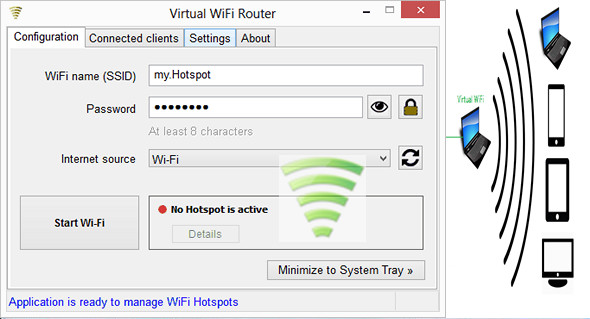
Virtual WiFi allows you to create Wi-Fi networks and easily transform your PC into a Wi-Fi router to which you can connect all the devices you need.
To create a Wi-Fi hotspot, you simply need to configure a few options. The user will need to specify the name of their access point, the password, and the number of people who can connect simultaneously.
Features
– Quick, simple and easy to use
– Ad hoc Wi-Fi network creator for Windows 7, 8, 8.1 and 10
– Displays a list of all connected devices (identified by Name, IP address, and MAC address)
– Detects the best internet connection
– Allows sharing not only the Ethernet connection, but also an external WiFi network or a 3G/4G/5G USB modem connection
– The Wi-Fi access points created will be accessible to computers, smartphones, tablets, smart TVs, and other types of devices.
– Allows manual assignment of a local IP address for the created Wi-Fi access point
Configuration:
– Windows (x32/x64 Bits): XP, Vista, 7, 8, 8.1, 10
– Processor: 1 GHz
– RAM: 512 MB
– Disk space: 4 MB
Facility :
Install the application VirtualWiFiSetup-3.2.1.exe
Language Multilingual (including French)
Size : 2.2 MB
This article was updated on September 9, 2017