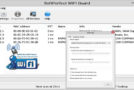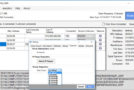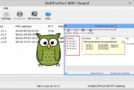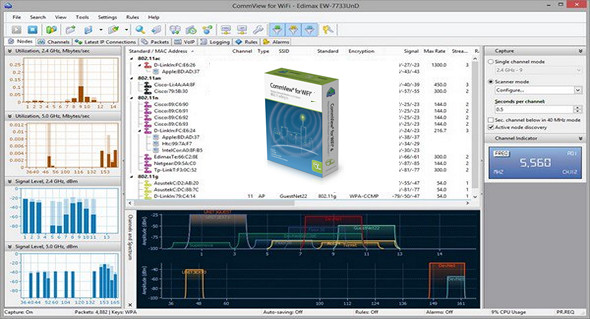
CommView for WiFi is a powerful wireless network monitor and analyzer for 802.11 a/b/g/n/ac networks. Loaded with numerous user-friendly features, CommView for WiFi combines performance and flexibility with unparalleled ease of use in the industry.
CommView for WiFi captures every packet in the air to display important information such as access point and station lists, statistics per node and per channel, signal strength, packet and network connection lists, protocol distribution tables, and more. By providing this information, CommView for WiFi can help you visualize and examine packets, identify network problems, and troubleshoot software and hardware. CommView for WiFi includes a VoIP module for in-depth analysis, recording, and playback of SIP and H.323 voice communications.
Packets can be decrypted using user-defined WEP or WPA/WPA2-PSK keys and are decoded down to the lowest layer. With over 100 supported protocols, this network analyzer lets you see all the details of a captured packet using a convenient tree structure to display protocol layers and packet headers. In addition, the product provides an open interface for connecting custom decoding modules. Several case studies describe real-world applications of CommView for WiFi in the enterprise, government, and education sectors.
What you can do with CommView for WiFi:
– Scan the air for WiFi stations and access points.
– Captures 802.11a, 802.11b, 802.11g, 802.11n and 802.11ac WLAN traffic.
– Specify the WEP or WPA keys to decrypt the encrypted packets.
– Display detailed statistics by node and by channel.
– Display detailed statistics on IP connections: IP addresses, ports, sessions, etc.
– Rebuild TCP sessions.
– Configure alarms that can notify you of important events, such as suspicious packets, high bandwidth usage, unknown addresses, rogue access points, etc.
– Display the “pie” tables of the protocol.
– Monitor bandwidth usage.
– Browse captured and decoded packets in real time.
– Search for strings or hexadecimal data in the contents of captured packets.
– Save the individual files or all the packages in the files.
– Load and view capture files offline.
– Import and export of packets in Sniffer®, EtherPeek™, AiroPeek™, Observer®, NetMon, Wireshark/Tcpdump and Wireshark/pcapng formats, export packets in hexadecimal and text formats.
– Export any IP address to SmartWhois for quick and easy IP lookup.
– Capture data from multiple channels simultaneously using multiple USB adapters.
– Capture of A-MPDU and A-MSDU packets.
– Simulate access points.
– And much more!
Who needs CommView for WiFi?
– WLAN administrators.
– Security professionals.
– Internet users who are interested in monitoring their WLAN traffic.
– Programmers developing software for wireless networks.
Configuration:
– Windows (x32/x64 Bits): XP, Vista, 7, 8, 8.1, 10
– Processor: 1 GHz
– RAM: 512 MB
– Disk space: 100 MB
Facility :
1. Install the program Setup.exe
2. Copy/Overwrite the file CV.exe (Case crack) in the installation folder.
Language Multilingual (French included)
Size : 54.6 MB
This article was updated on September 13, 2017