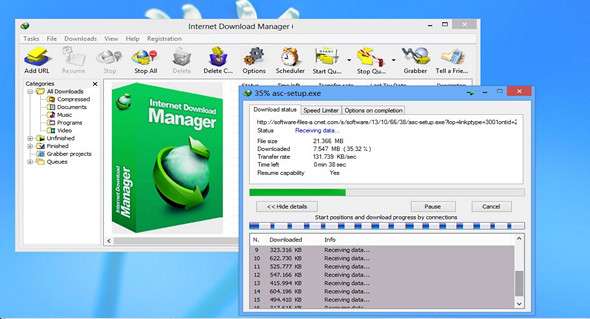
Internet Download Manager (IDM) can accelerate downloads up to 5 times thanks to its intelligent dynamic file segmentation technology. Unlike other download managers and accelerators, Internet Download Manager dynamically sorts downloaded files during the download process and reuses available connections without requiring an additional connection.
IDM downloads all required files specified using website filters, such as all images from a website, subsets of websites, or entire websites for offline browsing. Multiple capture projects can be scheduled to run once at a given time, stop at a specified time, or run periodically to synchronize changes.
All popular browsers and applications are supported!
Internet Explorer, MSN Explorer, AOL, Netscape Communicator, Netscape 6, Netscape 7, Mozilla, Mozilla Firefox, Mozilla Firebird, Opera, NetCaptor, UltraBrowser, Slim Browser, Avant Browser, MyIE2, Optimal Desktop, Ace Explorer, Advanced Browser, 27 Tools-in-1 Wichio Browser, WindowSurfer, 550 Access Browser, FineBrowser Freeware, Kopassa Browser, Fast Browser Pro, Enigma Browser, GoSuRF, K-Meleon, Smart Explorer, The Off By One Web Browser, Smartalec Voyager, CrystalPort AppCapture, The Family Browser,
What's new:
– Improved Firefox integration
– Added support for HTTPS proxy servers. It is now possible to establish VPN connections via HTTPS proxy servers using proxy.pac files.
– Fixed issues with HTTPS downloads via proxy servers using Digest authentication
– Added support for Firefox 57, 58
– Bug fixes
Configuration:
– Windows (x32/x64 Bits): XP, Vista, 7, 8, 8.1, 10
– Processor: 1 GHz
– RAM: 512 MB
– Disk space: 10 MB
Facility :
1. Install idman629build2.exe
2. Close it from the notification area (icon next to the time)
3. Copy the file IDM_6.2x_Crack_v15.9 in the installation folder, and run it in administratorthen click on Patch And Exit
4. Double-click on the file IDM registration.reg ==> Yes
Language Multilingual (including French)
Size 6.8 MB
This article was updated on October 6, 2017