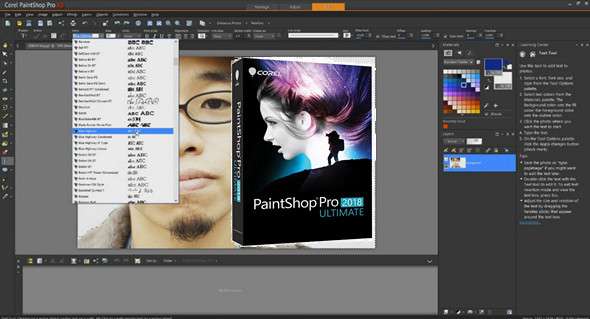
Corel PaintShop is a complete suite for faster and easier photo editing and design. Transform photos into works of art, automatically correct images, edit RAW photos, and much more…
Edit photos like a pro
Get a complete set of professional image editing tools for photo adjustment and composition.
Create graphic design projects
Find everything you need to produce a variety of impactful graphic design projects.
Transform photos into works of art
Easily transform your images into realistic paintings with Painter Essentials 5.
Enhance photos instantly
Restore the color details lost by your camera with Perfectly Clear 3 SE.
Working with RAW images
Learn how to quickly edit professional-quality RAW photos with AfterShot 3.
What's new in PaintShop Pro 2018 Ultimate:
Painter Essentials 5
Discover the unparalleled photo-painting tools in this painting program that will easily transform your photos into stunning works of art before your very eyes. Or start sketching, drawing, and painting from scratch with award-winning brushes specially selected for beginners. Explore a wide variety of painting styles, brushes, and photo effects that allow you to create an authentic, hand-painted look every time.
Perfectly clear 3 SE
Perfectly Clear has mastered the science of intelligent image correction. Restore details, color, and more lost by your camera with Perfectly Clear 3 SE's proven, patented corrections. Create a custom look with robust presets that let you control multiple settings with a single click, without ever leaving PaintShop Pro.
Simplified user interface for a better experience
You asked, and we listened! Enjoy an improved app that's easier to learn, with faster navigation and larger icons. For a more streamlined workflow, we've added two new workspaces, Essentials and Complete, to match your expertise level. Our new Welcome tab is packed with helpful tutorials and creative content to get you started.
Faster results and improved tools
Discover a faster and more efficient photo editing program. Thanks to you, our loyal users, we've made significant product improvements. We've drastically reduced launch time—by more than 50% compared to the last version. We've sped up some of your favorite editing features. We've also improved several of your most frequently used tools, such as Crop, Text, Selection, Clone, Gradient, Eraser, and Dropper.
New ways to express creativity
Enjoy more creative content, from brushes and color palettes to gradients, patterns, and textures. PaintShop Pro 2018 gives you more creative options for the features you use most, expanding what's possible with this powerful photo editing software.
Configuration:
– Windows (x32/x64 Bits): 7 Sp1, 8, 8.1, 10
– Processor: 1 GHz
– RAM: 512 MB
– Disk space: 2 GB
Facility :
1. Disable the internet connection
2. Install the program PSP2018_Ultimate.exe
3. Use the serial number (serial.txt)
4. Block the program in the Windows firewall
5. Activate your internet connection. You can ignore the online registration form when prompted, or you can register with a fake email address.
Language Multilingual (including French)
Size : 1.3 GB
This article was updated on October 11, 2017