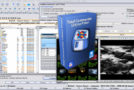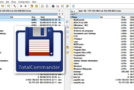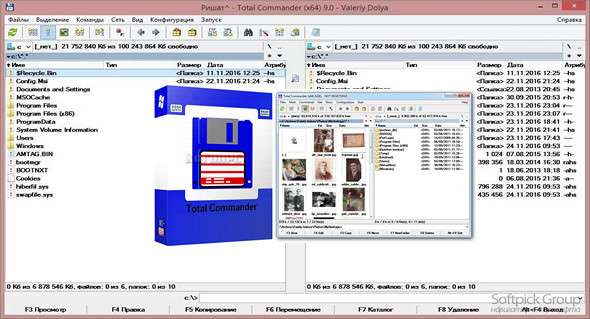
Total Commander (formerly Wincmd) is a file manager for Windows similar to Windows Explorer. However, Total Commander uses a different approach: it has two fixed windows side-by-side, like a well-known file manager for DOS. Plugins can be added, such as OOSimple Viewer, a viewer for Apache OpenOffice files.
Features:
– Two file windows side by side
– Support for multiple languages and Unicode
– Improved search function
– Compare the files (now using the editor) / synchronize the directories
– Quick View panel with bitmap display
– Management of ZIP, ARJ, LZH, RAR, UC2, TAR, GZ, CAB, and ACE archives
– Integrated FTP client with FXP (server-to-server) support and HTTP proxy
– Parallel port link, multiple renaming tool
– Tabbed interface, regular expressions, history + favorites buttons
– Display thumbnails, custom columns, advanced search
– Compare the editor, the cursor in the lister, the separate trees, the logging, the improved overwrite dialog box, etc.
– Unicode names almost everywhere, long names (> 259 characters), password manager for FTP and plugins, synchronization of empty directories, 64-bit context menu, quick file filter (Ctrl + S)
– New: USB port connection via a special direct transfer cable, partial branch view (Ctrl + Shift + B), and numerous FTP, synchronization, and other functions
– And much more!
Release Total Commander 9.10 final (32/64)
– Fix: GDI memory leak when using an inverted cursor and alternating background colors via a display mode (64)
– Fixed: Some OneDrive fixes for Windows 10 Fall Creators Update were not working in the 64-bit (64) version only.
– Correction: Copy F5 – The Enter -Background dialog box was not scaling correctly on the secondary screen (Windows 10 Creators Update) (32/64)
– Correction: Right-click menu – “New” submenu: When copying a template file, set its date and time to the current date and time (32/64)
– Correction: context menu – “New” submenu: in rare cases, a menu item different from the one chosen by the user might be called (32/64)
Configuration:
– Windows (x32/x64 Bits): XP, Vista, 7, 8, 8.1, 10
– Processor: 1 GHz
– RAM: 512 MB
– Disk space: 20 MB
Facility :
1. Install the program tcmd910x32_64.exe
2. Copy the contents of the folder Crack in the Total Commander installation folder.
Language Multilingual (French included)
Size : 10.9 MB
This article was updated on October 20, 2017