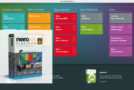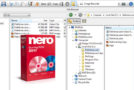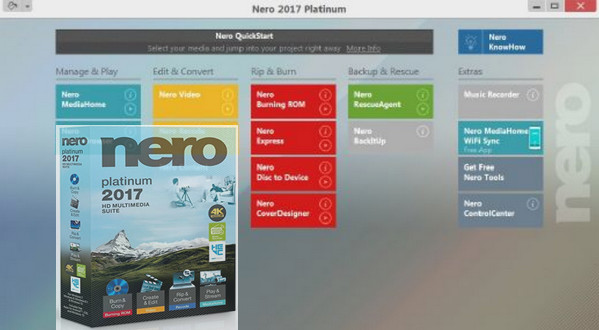
Better protected disks and data, faster video processing, and even easier handling? It's possible! Nero 2017 Platinum supports you even more and better in your digital tasks with the highest quality, comprehensive new features, powerful technologies, and digital learning support.
Burn and archive
Simply more security!
Get started with the all-new, highly intuitive Nero QuickStart and dive into Nero 2017 Platinum – have fun and master the most important features in no time. Everything else is just as fast: audio CDs, DVDs, or Blu-ray™ discs, with Nero's guaranteed technology, your pictures, videos, music, and data are copied and burned for the long term. And if you want even more security, thanks to password protection and 256-bit encryption, SecurDisc 4.0 ensures that no one can read what you want to keep private!
CREATE AND EDIT
A burst of creativity that will delight you!
For better results and even more creativity with your multimedia files, the current version of Nero 2017 Platinum offers a whole range of possibilities. Now you can also import your HEVC (H.265) recordings or 4K and HD movies from your smartphones, cameras, or digital camcorders to your computer. Captivate your audience with express or advanced video processing using 4K templates and over 800 stunning effects. Export scenes from your longer movies in a flash. Give your DVDs™ and Blu-rays™ high-quality menus for easy access to the scenes you want, create custom covers with Nero CoverDesigner, and enjoy the highest quality film and music editing. What's missing? Popcorn!
EXTRACT AND CONVERT
The full range of formats!
Bring together what goes together: Import all formats up to high-quality HEVC (H.265) and convert them to virtually any format you want. You can rip video from DVDs*, AVCHD*, and Blu-ray™* and use the files for new projects. With one-click conversion, you can transfer your audio CDs directly to your mobile device. Nero automatically delivers the simplest conversions with the best sound.
READ AND SHARE
Relax and enjoy!
Turn on the speakers, set up the screen: photos, videos with subtitles, and music are not only available and viewable in Nero MediaHome, but thanks to the optimized Nero MediaHome WiFi Sync app, you can also import them from your mobile device and transfer them to almost all your devices – iOS or Android smartphones and tablets! Play all audio and video formats, including 4K (Ultra HD) and high-quality HEVC. With Gracenote® connectivity, search for your music tracks from your mobile device using album art and enjoy your music even more. Expand your music collection with the Music Recorder and legally receive thousands of internet radio stations in MP3 format. Sounds pretty good!
Configuration:
– Windows (32/64 bits): 7 SP1 (Premium/Professional/Ultimate), 8, 8.1, 10
– Processor: 2 GHz
– Memory: 2 GB
– Hard drive: 5 GB of free space available
– Peripheral: CD/DVD/Blu-ray Disc burner installed correctly
Facility :
0- Disable your internet connection and add the following lines to your "Host" file C:\Windows\System32\drivers\etc:
127.0.0.1 23.74.204.49
127.0.0.1 2.20.235.247
127.0.0.1 216.58.214.40
127.0.0.1 151.101.12.143
127.0.0.1 66.117.29.4
127.0.0.1 63.140.41.167
127.0.0.1 13.80.12.54
127.0.0.1 239.255.255.250
1 – Install your software using the trial key below:
806M-20ax-AU5T-6UEA-47E1-KLCL-LL11-T6WA
2 – After installation, make sure that the above lines in your “Host” file have been added correctly.
3 – Open Nero 2017 Platinum, choose to continue, then open the Advanced Control Center and add the following key:
907C-81CC-XM9M-W80H-E6M7-85EM-82H5-XC2W
4 – Remove the previously added test key.
5 – Install Nero 2017 Platinum Content Pack now
6 – Restart the application.
7 – Block the application in the firewall!!
8 – You can restore your internet connection
- Language: Multilingual (French included)
- Size: 1.1 GB
This article was updated on November 2, 2017