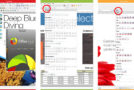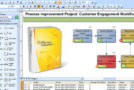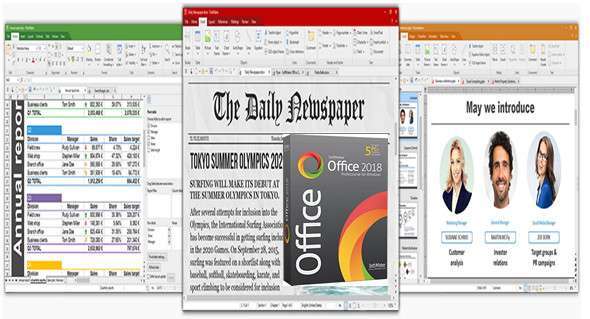
SoftMaker Office Professional is an office suite that lets you effortlessly create impressive documents, spreadsheets, and presentations. Let your documents speak for themselves: thanks to its intuitive interface, numerous features, and exceptional performance, you'll quickly achieve first-class results with SoftMaker Office 2018.
Direct document exchange with Microsoft Office
Skip the tedious import and export process: SoftMaker Office 2018 uses Microsoft DOCX, XLSX, and PPTX formats as its default file formats. This allows you to edit your documents directly in Microsoft Office without conversion.
Write: TextMaker 2018
The modern word processing application TextMaker 2018 lets you create documents of any size in no time – whether it's a flyer, brochure, business letter, or a full scientific article. Thanks to its native use of the DOCX file format, your documents are always compatible with Microsoft Word.
Calculate: PlanMaker 2018
The powerful PlanMaker 2018 spreadsheet program lets you create calculations, spreadsheets, and charts of any complexity: from simple scheduling to complete financial planning for your business. Because it natively uses the XLSX file format, you can edit Microsoft Excel files while preserving the original.
Here: Presentations 2018
Create stunning presentations with Presentations 2018. With breathtaking animations, slide translations, and a sophisticated cover page design, you're well-prepared for every presentation. Because Presentations natively uses the PPTX file format, exchanging documents with PowerPoint is completely seamless.
SoftMaker Office 2018: features:
General:
– NEW: SoftMaker Office natively uses Microsoft Office DOCX, XLSX and PPTX formats, thus avoiding the need to convert documents for colleagues or business partners.
– Create PDF files directly from each application
– NEW: 32-bit and 64-bit versions in the same package
– Support for high-resolution 4K displays
– NEW: Clear file history with a single mouse click
– Version control that keeps a freely selectable number of versions of each file and allows you to revert to any previous version
User interface:
– NEW: You can use SoftMaker Office with modern ribbons or with classic menus and toolbars.
– NEW: Dozens of new drop-down controls with option palettes, greatly simplifying document creation (available with ribbons as well as in classic mode)
– NEW: The ribbons are customizable.
– NEW: “Quick Access Toolbar” for frequently used commands
– Switch to “dark mode” to reduce eye strain
– NEW: Touchscreen mode with larger icons and more generous spacing
– NEW: Open documents either in tabs or in separate windows – just like in a web browser
– NEW: Drag document tabs to the desktop to "disconnect" them into a separate window or drag them to the tab bar to convert them back into a document tab.
– NEW: Rearrange document tabs using drag and drop
– NEW: Pin documents and templates to the file and template history for quick access to frequently needed files
Configuration:
– Windows (x64 Bits): Vista, 7, 8, 8.1, 10
– Processor: 1 GHz
– RAM: 512 MB
– Disk space: 1 GB
Language Multilingual (including French)
Size : 371.9 MB
This article was updated on November 29, 2017