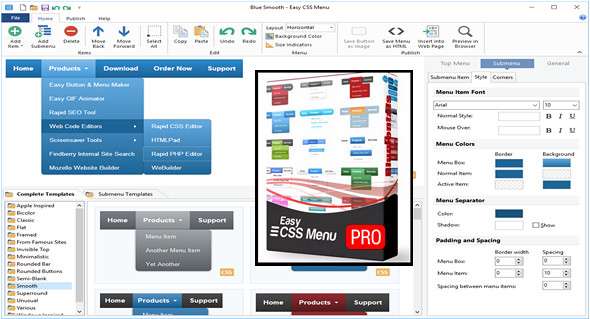
Easily create fantastic CSS dropdown menus for your website without writing a single line of code. Easy CSS Menu generates pure CSS dropdown menu code that works in all web browsers and requires no JavaScript. Easy CSS Menu works well for both beginners and experts.
Visual drag-and-drop menu editor
The direct visual menu editor is easy and pleasant to work with.
Fast and lightweight
The easy CSS menu creates lightweight menus that load instantly.
Loads of icons and templates
The easy CSS menu comes with instant templates and icons
Full web browser support
Supports all popular browsers, modern and old.
Generates pure CSS code
Our CSS menu builder creates valid and clean CSS menu code.
Friendly search engine
CSS menus are seen and processed by search engines.
Works without JavaScript
It doesn't use JavaScript, so it works even if JavaScript is disabled.
Compatible with HTML5
Produces modern, but backward-compatible HTML5 code
Easy to insert and update
The menus created are easy to publish and update.
Much faster and smoother
Create a great menu in seconds by choosing a template or by creating a design from scratch in minutes.
Best Value
Unlimited sites, full set of templates, no expiration, all inclusive.
For unlimited commercial use. Unlimited sites, all templates.
Use the software on a work computer, a personal computer, and a laptop.
Designer-approved designs
The menu templates are approved by a professional designer and usability expert. The color contrast, font size, and spacing are all just right!
No CSS coding headaches
Time is money. Save hours of editing and debugging free CSS code samples. Simply use the easy CSS menu!
Configuration:
– Windows (x32/x64 Bits): XP, Vista, 7, 8, 8.1, 10
– Processor: 1 GHz
– RAM: 1 GB
– Disk space: 50 MB
Language Multilingual (French included)
Size : 40.12 MB
This article was updated on December 27, 2017