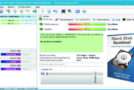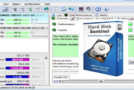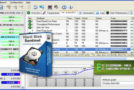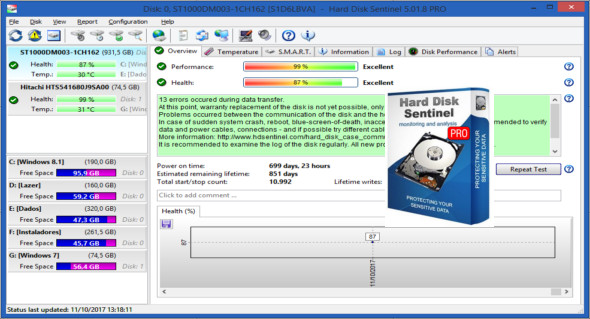
Hard Disk Sentinel is a multi-OS hard drive monitoring application. Its purpose is to find, test, diagnose, and repair hard drive problems, and to display hard drive health, performance degradation, and failures.
Hard Disk Sentinel provides a complete textual description, advice, and displays/reports offering the most comprehensive information about the hard drive inside your computer or in an external enclosure (USB/eSATA). Numerous alerts and reporting options are available to ensure maximum security for your valuable data.
Hard Disk Sentinel monitors the hard drive's health, including its temperature and all SMART (Self-Monitoring, Analysis, and Reporting Technology, built into most hard drives today) values for each drive. It also measures the hard drive's real-time transfer speed, which can be used as a benchmark or to detect potential hard drive failures and performance degradation. Hard Disk Sentinel can be effectively used to prevent data damage or loss. Its disk health rating system is extremely sensitive to disk problems. In this way, even a small issue cannot be missed, and failure or data loss can be predicted. This allows for the backup of important and valuable data. The professional version has scheduled and automatic backup options (on-problem) to prevent data loss caused not only by failure but also by malware or accidental deletion.
Here are some key features of "Hard Disk Sentinel Professional":
Easy-to-use interface
All information is displayed in the application's main window. Quick commands allow for easy navigation to access all hard drives, partitions, and other information. Intuitive user interface elements use green, yellow, and red to indicate the severity of the problem. Detailed text descriptions and contextual help guide the user through the features and options.
– 1. Install > 2. Configure > 3. Stay protected.
Simply install and configure the alerts and backup options, and your system is now secure. You'll be notified of any issues—but if everything is fine, Hard Disk Sentinel simply displays the current status. Your data is protected 24/7.
– SMART snapshot currently being analyzed
Hard Disk Sentinel can communicate with IDE, Serial ATA, and SCSI hard drives to detect their status and temperature. The drive status is displayed immediately upon launching the application; there's no need to scan the drives for extended periods. It displays the current and maximum temperatures for the hard drive.
– Disk status in Windows Explorer
Display the current health status and used space in Windows Explorer or any other application. This way, you'll always know how much space is used for each partition and the overall condition of the disk.
– Information available upon request
It can display current hard drive temperatures and health in the system tray, in a small status window, and on the desktop itself. Average and maximum temperatures are recorded for all hard drives, and this information is displayed in graphs for statistical purposes.
– Logging
Hard Disk Sentinel records all degradations in all SMART parameters. For example, if a new uncorrectable sector is found on your hard drive, you will be notified.
– Alerts
Hard Disk Sentinel can generate various types of alerts for different problems. It can run various tasks (even external applications) when a problem occurs. There is an option to send daily emails about the current status.
– Hard drive details
Detects and displays all hard drive information, from revision number and buffer size to all available features. Maximum available and current transfer modes are also displayed.
– Hard drive performance
Logs the amount of data read or written to the hard drive. Displays current read and write transfer rates and estimates the maximum (theoretical) transfer rate available for a particular hard drive.
– Hard drive partitions
Displays partitions for each physical hard drive and their type and usage information so you never run out of space. Hard Disk Sentinel automatically sends this information in alert/status messages.
– Stop
It offers an option to shut down the computer in case of failure, overheating, or system malfunction. This option can be used to prevent further data loss.
– Acoustic management
It offers an option to control the noise level of the IDE/S-ATA hard drive. This allows you to increase performance or make the drives quieter.
– Clock synchronization
It offers an option to synchronize the PC clock with an atomic clock via NTP (Network Time Protocol).
Configuration:
– Windows (x32/x64 Bits): XP, Vista, 7, 8, 8.1, 10
– Processor: 1 GHz
– RAM: 1 GB
– Disk space: 50 MB
Language Multilingual (French included)
Size : 23.6 MB
This article was updated on February 12, 2018