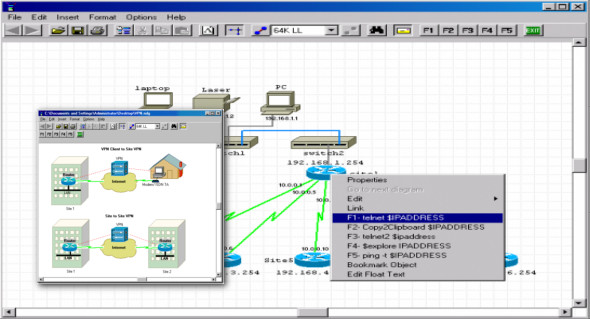
Network Notepad is a small program for Windows designed specifically to create network diagrams with various predefined objects and custom text.
Modify the features
The Network Notebook allows you to integrate objects into your network diagram from a built-in library. The components are grouped into three categories: Flowchart, General, and Title blocks.
Import/export options
The application allows you to import and export data in CSV or NDG file format, save diagrams in BMP, GIF or PNG file format, and print information.
You can add objects to the workspace using drag-and-drop support, move them to the desired position, work with basic editing functions (cut, copy, paste, delete), undo or redo your actions, and perform searches.
In addition, you are allowed to insert custom text at the preferred position in the diagram, customize the text in terms of font, font style, size and color, integrate horizontal or vertical backbones, place objects to the front or send them to the back, add connection points and links, and display the IP address.
Diagram configuration settings
The Network Notepad allows you to edit diagram properties by specifying the name and adding notes, adjusting the canvas size and ratio, and changing the foreground, background, and grid colors.
Bottom line
All things considered, Network Notepad includes a basic set of features to help you generate network diagrams. It still needs some improvements to its graphical interface to make the process more intuitive. It hasn't been updated in a while, so you can use its capabilities, especially if you're using an older operating system.
What's new:
– Bug fix: After adding a new link style, right-clicking on a link would fail with an error.
– Greek translation added.
– Cosmetic modifications to format link styles.
– The tooltips on the function button have been corrected.
– The Library2 and Library3 objects are now installed automatically.
Configuration:
– Windows (x32/x64 Bits): XP, Vista, 7, 8, 8.1, 10
– Processor: 1 GHz
– RAM: 1 GB
– Disk space: 2 MB
Language Multilingual (French included)
Size : 1.4 MB
This article was updated on February 21, 2018