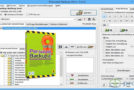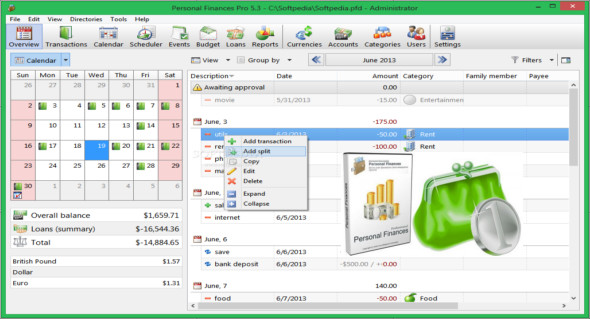
Alzex Personal Finance is a stylish and incredibly easy-to-use home accounting software. Its unique features, setting it apart in its category, are its complete simplicity and clarity.
From the summary view, you can immediately see how your money has been spent, the total amount and percentage breakdown for categories, account balances, and overall balance.
Personal accounting software allows everyone to easily manage their income and expenses
It will help you take control of your finances—understand where your money goes, identify areas of overspending, and cut unnecessary expenses. It's easy for beginners to get started, requires no effort to track finances, and offers a wide range of features and settings for professional users.
The concept behind this home accounting software lies in grouping expenses into categories.
This is useful because you can see where the money is going and how much is being spent at a glance, without needing to review reports. The category system is designed as a tree that can have an unlimited number of subcategories.
This accounting software meets all your needs
Whether you need to create a more realistic budget, get out of debt, or teach your children how to budget, this home accounting software, with its comprehensive overview, reports, and graphs, provides users with a thorough understanding of their family's financial health, helps them identify areas of overspending, and allows them to reduce their spending. Equipped with a scheduler, this software also lets you track projected income and expenses, and see how much money you'll have at a later date.
The advantages of accounting software include:
– Extensive opportunities for transaction categorization. Categories, family members, beneficiaries, projects, and tags. Grouping, sorting, and filtering. The category system is designed as a tree that can have an unlimited number of subcategories. Unlimited tags for each transaction.
– Synchronization between multiple PCs and Android or iOS versions. Multiple users can work with a single database and synchronize changes over the internet using the Dropbox cloud service. Users can work on a single file from multiple computers simultaneously (over the network).
– Multiple user accounts and password protection. Several people can work with the same database file (even simultaneously, on a local network). It allows you to track users who create transactions, protect transactions from modification with a password, and hide them from other users.
– You can enter data very quickly, simply type the first few letters and select a transaction from the list of frequently used transactions, then the program fills in all the data for you.
– A comprehensive set of data management tools. The ability to undo and redo all changes. Batch editing (grouping, renaming, and other actions on sets of records). Transaction grouping, sorting, and a flexible filtering system.
– The program contains almost all the world's currencies, plus precious metals. Automatically downloads exchange rates.
– Unlimited number of accounts. This is the main way to separate transactions in the program.
– The planner allows you to create recurring transactions automatically.
– Import and export to QIF, OFX, CSV and TXT files.
– Manage loans, monitor the budget and analyze the financial situation with reports.
– Multiple languages. This business accounting software is translated into more than 35 languages.
Configuration:
– Windows (x32/x64 Bits): XP, Vista, 7, 8, 8.1, 10
– Processor: 1 GHz
– RAM: 1 GB
– Disk space: 50 MB
Language Multilingual (French included)
Size : 18.5 MB
This article was updated on April 10, 2018