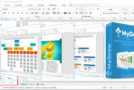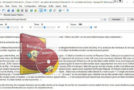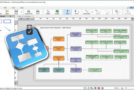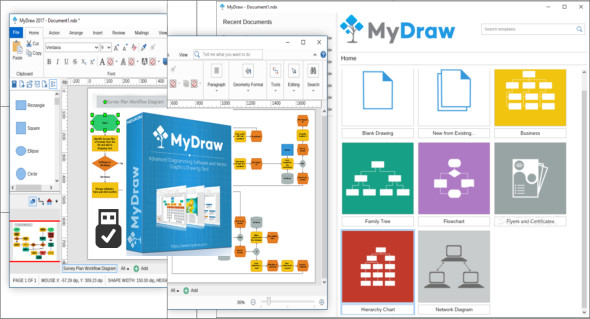
MyDraw is the right diagramming solution for your business or personal projects. It's an advanced diagramming software and vector graphics drawing tool. Create flowcharts, maps, network diagrams, floor plans, UML diagrams, and general business diagrams with MyDraw. It includes libraries with hundreds of diagram shapes and symbols, templates, powerful drawing tools, automatic diagram layouts, advanced printing and exporting features, and much more. You can also use Concept Draw Office.
Powerful drawing tools
MyDraw comes with a wide range of drawing tools that help you easily create any shape you need and style to match your company's identity or personal requirements. You can freely draw shapes using the NURBS tool or use the composition features to create new shapes from the basic functions.
Diagram shapes and symbols
MyDraw is an easy-to-use diagramming tool that comes with a large set of predefined shapes that you can directly drag and drop into your drawings. The shapes are divided into different libraries depending on their intended use.
Advanced Visio drawing import and export
MyDraw's advanced Visio drawing import and export capabilities (VSD import, VDX import/export, and VSDX import/export) allow you to easily convert your Visio diagrams and work with them in Apple macOS and Windows operating systems. MyDraw also supports Visio-style "smart" shapes—dynamic, formula-based diagram shapes. With its exceptional and unique features, MyDraw is even better than Visio.
Hundreds of free diagram examples and templates
MyDraw includes numerous ready-made templates for flowcharts, organizational charts, flyers, certificates, and business cards, as well as various other types of diagrams. You can easily get started by modifying existing diagram templates and creating your own. The MyDraw team is constantly working on creating new templates and examples, new diagram shapes, and symbols to support your work, now and in the future.
Advanced printing and export options
With MyDraw, you can export your diagrams as images (PNG, JPEG and BMP) or as PDF, SVG and EMF files in just a few clicks.
Spelling and language check
MyDraw includes a spell checker compatible with Open Office dictionaries (.OXT files from the Hellspell Spell Check dictionary).
Familiar user interface
Getting started with MyDraw is as easy as can be. MyDraw is perfect for you too! You can switch to command bars (MS Office 2003-style menus) in just two clicks and rearrange the commands however you like.
Version : 6.0.0 /Portable: 5.0.1
Language : Multilingual
Size : 28.51 MB / Portable: 476.41 MB
Configuration:
– Windows (x32/x64 Bits): 7, 8, 8.1, 10, 11
MyDraw v6.0.0
MyDraw Portable v5.0.1
This article was updated on April 3, 2024