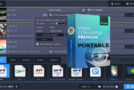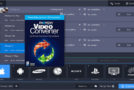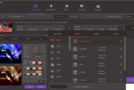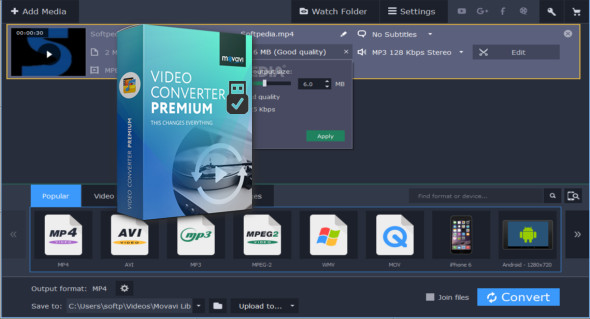
Movavi Video Converter is a multimedia software that lets you prepare your video files for instant playback in any format and on any device. It's an easy-to-use tool designed for both beginners and professionals in file format conversion; your files will be ready in seconds. Simply select the desired format or device from the extensive list of supported options and click a button. It also includes numerous extras such as enhancing video quality, normalizing audio levels, adjusting, merging, cropping, and rotating files before conversion.
Work with video, audio and images in any format
– Open video files in any format and resolution, including Ultra HD.
– Transfer your DVD collection to your hard drive – rip DVDs and save them as video files.
– Process your entire music library in a single click.
– Convert image files between the most popular formats.
Make sure you get the best possible results
– Choose the exact format you need: the program supports all current video, audio and image formats and codecs.
– Enjoy one-click conversion of media files for over 200 mobile devices using our ready-to-use presets.
– Prepare your video for upload to video hosting sites and social networks quickly, easily and automatically.
Save time with cutting-edge technologies
– Using the innovative SuperSpeed mode, you can convert video up to 79 times faster than with traditional conversion methods. No recompression or loss of quality!
– Support for NVIDIA CUDA, NVENC and Intel HD Graphics hardware acceleration increases conversion speed by up to 3.5 times.
– Make the most of your multi-core processor! The software estimates your CPU usage and loads the CPU cores in the most efficient way, converting 2 or 4 H.264 files simultaneously.
Other features:
Audio excerpt
Extract audio from video and record any part of a movie soundtrack to create ringtones and music samples.
Adjust the sound
Increase, decrease, or normalize the sound volume. Transfer up to 16 soundtracks to your final video.
Create GIFs
Create funny GIF animations from your video files. Specify the video segments you want to convert to GIFs.
Save the frames
Capture screenshots from videos and save them in popular image formats.
Online sharing
Upload converted files to social media sites from within the program using the built-in online Share application.
View the file
Specify a folder and conversion settings, and all video files in that folder will be automatically converted.
Flexible settings
Choose video and audio codecs, specify a custom resolution, bitrate, and other advanced settings.
Two-pass encoding
Choose this option for an optimal balance between output video size and quality.
Configuration:
– Windows (x32/x64 Bits): XP, Vista, 7, 8, 8.1, 10
– Processor: 1 GHz
– RAM: 1 GB
Language : Multilingual (French included)
Size : 88.0 MB
This article was updated on December 1, 2019