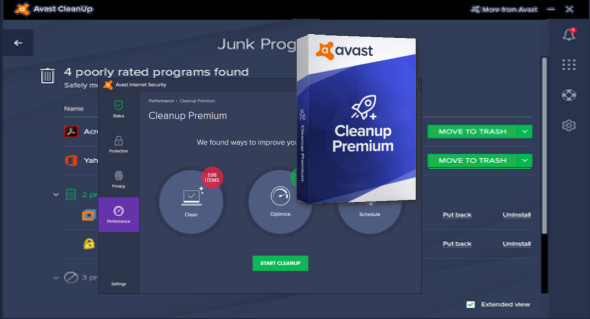
Avast Cleanup includes everything you need to tune up your system. Boost your PC's speed, free up disk space by removing junk files, and fix small problems before they become big ones.
Once the scan is complete, the cleanup tool displays the amount of junk files, browser cache, add-ons, download and browsing history, outdated software and driver packages, shared DLL files, and reads system logs to help you free up as much storage space as possible. The cleanup process may take some time.
Speed up, optimize, and reboot your PC
Your PC isn't getting any younger. Fix what's slowing you down with Avast Cleanup's revolutionary technology.
Give your PC a proper cleaning
Avast Cleanup scans your PC from top to bottom to remove gigabytes of junk files from over 200 applications, browsers, and even Windows.
Fix your PC problems
The quick fix for a tired PC, Avast Cleanup comes with tools for novices and pros to solve some of the most annoying problems.
Standby mode
The patented optimization method puts all resource-draining applications into hibernation so your PC feels like new.
Shortcut Cleaner
Remove unnecessary shortcuts from your desktop and history lists in Windows and other applications.
One-click maintenance
Take care of 6 essential cleaning and tuning tasks with a single click.
Disc cleaner
Safely removes leftover files from Windows and over 200 of the most popular PC programs.
Register cleaner
Removes hidden files from the Windows registry and fixes problems.
Browser cleaner
Removes remaining browsing traces and cookies from more than 25 browsers, including Edge, Chrome, Firefox and IE.
Settings dashboard and action center
Provides a quick overview of your PC's health.
Configuration:
– Windows (x32/x64 Bits): XP, Vista, 7, 8, 8.1, 10
– Processor: 1 GHz
– RAM: 1 GB
Language : Multilingual (French included)
Size : 44.3 MB
This article was updated on July 14, 2018