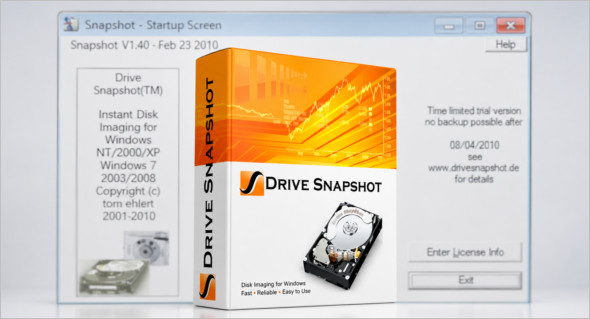
The Drive Snapshot utility lets you back up your partition or hard drive, and it can also create a disk image of your system while Windows is running and you continue working. You can also use R-Drive Image.
If your computer or system is damaged, you can restore a complete and accurate system backup in just minutes with Drive Snapshot. The image file can be mounted as a virtual drive, so you can easily restore (or use) individual files or directories using Windows Explorer or another program.
Drive Snapshot features:
– Create disk image backups while running Windows
– No restart (under DOS) is necessary.
– Continue your work while the backup is in progress.
– The new Snapshot technology ensures that all data is consistent and reflects the PC's data at the start of the backup. There are no issues with open files.
– This provides a very quick and easy way to back up servers and other computers, which need to operate 24 hours a day.
– Easy to use and restore single files or directories
Drive Snapshot creates a virtual drive containing all the data from your drives. You can use, compare, or restore these files directly from the disk image file.
– This works with any program of your choice, including (of course) Windows Explorer
– Complete disk recovery in case of disaster
– If a disk is restored to its original state, it will be exactly the same as at the time of Backup-byte for byte.
– Restoring a system partition will require DOS; other drives can be restored using Windows.
– Compatible with all Windows file systems (FAT16, FAT32, NTFS)
– Compatible with all Windows RAID methods
– Very simple and complete command-line interface
Version : 1.51.0.1811 / WinPE: 1.51.0.1746
Language : English
Size : 10.15 MB / WinPE: 452.41 MB
Configuration:
– Windows (x32/x64 Bits): 7, 8, 10, 11
Download Drive Snapshot v1.51.0.1811 + Portable
Download Drive Snapshot WinPE v1.51.0.1811
This article was last updated on June 22, 2026