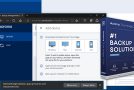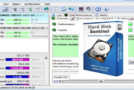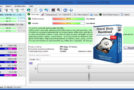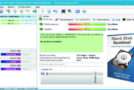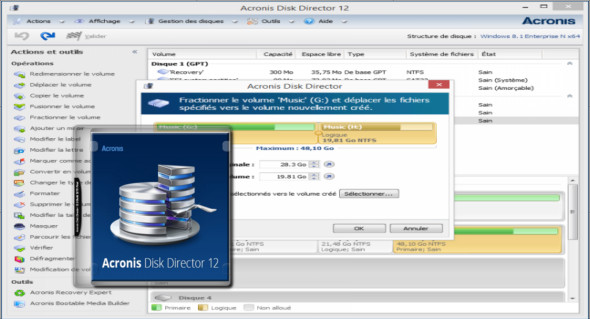
Acronis Disk Director is a comprehensive toolkit for performing hard drive operations, with a focus on partition management and recovery. In addition to volume manipulation tasks, it allows you to view your hard drive's structure in detail.
Main features:
– Disk partitioning
– Reorganize your disk drive for better data protection and better use of disk space.
– The most comprehensive disk management toolkit
– Create, convert, copy, move and delete volumes
– Resize, split, and merge volumes without losing your data
– Format and label volumes, specify inode density, modify the size of file systems or clusters
– Assign volume letters, define active volumes, and hide/show volumes
– Add or stop mirrored volumes or volumes across multiple physical disks
– Create and repair RAID-5 volumes
– Conversion between basic/dynamic disks and MBR/GPT
– Initialize the new hard drives and import the foreign drives
– Change the disk status between online and offline
– Cloning disks
Disk modification
– Modify the disk drive contents to a lower level to recover information that was accidentally deleted or lost due to various hardware or physical failures or a virus attack.
– Acronis Disk Director pre-built allows you to back up and restore essential hard drive sectors, modify the contents of hard drive sectors and represent them in the most convenient way.
Disk partition recovery
– Acronis Recovery Expert, included with Acronis Disk Director, protects your data, allowing you to recover lost or deleted disk partitions.
– Be fully armed and ready to deal with any personal, hardware or software failure, a virus attack or intrusive destruction by a hacker.
Disk cloning
– Replace your old disk drive with the new one without reinstalling the operating system and applications.
Acronis Disk Director transfers all data from the source disk to a target disk. Source disk volumes can be cloned to the target disk "as is" or automatically resized to fit the new disk size.
Boot media
Create a bootable medium based on both WinPE and Linux to boot your machine from a CD/DVD or USB drive and use Acronis Disk Director on a bare operating system or outside of an operating system environment. This allows you to partition your machine before installing the operating system, ensures that the operating system and applications do not interfere with disk management operations, and enables advanced troubleshooting and recovery if the operating system fails to boot.
Configuration:
– Windows (x32/x64 Bits): XP, Vista, 7, 8, 8.1, 10
– Processor: 1 GHz
– RAM: 2 GB
Language : French / English
Size : 571.5 MB
This article was updated on August 5, 2018