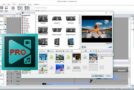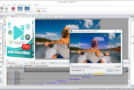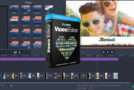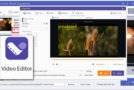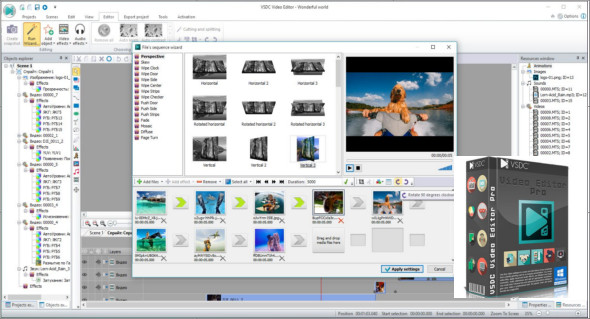
Video Editor can edit video files and create videos with various visual and audio effects with minimal effort. The program offers rich features in a simple and intuitive interface. You can also use Windows Video Editor.
The editing software allows you to create your own media library with brief or detailed descriptions. This will help you organize your video collection and simplify access to the files you need.
Visual and audio effects
You can apply various visual and audio effects to your videos to achieve the desired result. Since the number of available visual effects is very large, they are divided into five categories for easier navigation: color correction, object transformation, object filters, transition effects, and special effects.
Instagram-style blending modes and filters
Another way to customize the look of your video is through color blending. With a wide range of adjustable parameters, you can give your video a unique, professional style. Beginners or those looking to save time can take advantage of stylish, Instagram-like filters applied with a single click.
Support for popular formats
Our software supports virtually all video, image, and audio formats and codecs. Therefore, you won't need additional conversion tools to edit your files, as is often the case with other programs.
Video creation for specific multimedia devices
Thanks to a wide range of pre-configured profiles, you can easily create videos for the most common multimedia devices, such as DVD players, iPod/iPhone/iPad, PSP, all smartphones and classic phones, Sony PlayStation, Xbox, Zune, Archos, iRiver, Creative Zen, Blackberry, MP4 players and many more.
Working with graphs
You can create diagrams of different types, including 3D, bar, stacked bar, point, bubble, line, scatter line, fast line, step line, spline, area, spline area, stacked area, stacked spline area, range bar, Gantt, pie, 3D pie, 3D torus, radar point, radar line, radar area, radar spline, radar spline area, funnel, pyramid, 3D pyramid, high/low, and candlestick diagrams.
Capture, converter and burning tool
The software allows you to capture video from various video tuners, webcams, and IP cameras, and save the captured images to your computer. The application is designed to quickly convert video files from one format to another, and includes a DVD burning tool, allowing you to easily burn your work to optical discs.
Version : Pro 6.9.3.370 / Laptop: Pro 6.6.7.275
Language : Multilingual (French included)
Size : 132.33 MB / Laptop: 130.86 MB
Configuration:
– Windows (x32/x64 Bits): 7, 8, 8.1, 10
VSDC Video Editor Pro 6.9.3.370
VSDC Video Editor Pro Portable 6.6.7.275
This article was updated on December 28, 2021