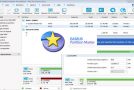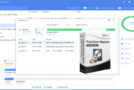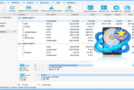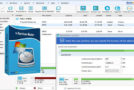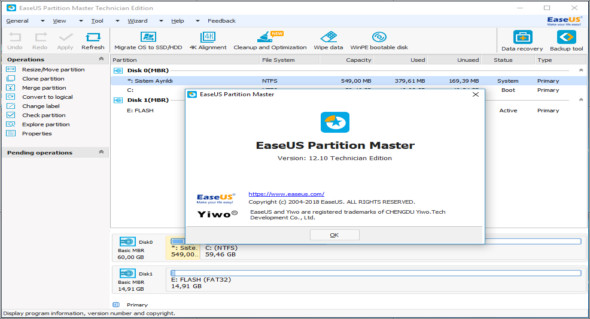
EaseUS Partition Master Technician efficiently manages all partitioning tasks without data loss. With just a few clicks, you can repartition your hard drive, SSD, USB drive, flash drive, SD card, memory card, and other storage devices under Windows 10, 8.1, 8, 7, Vista, XP, and Windows Server 2016, 2012, 2008, and 2003. EaseUS Partition Master Technician is an all-in-one partition management software designed primarily for businesses, IT administrators, technicians, consultants, and service providers.
Create/Resize/Move partition
Reorganize partitions on PCs or servers to resolve disk issues and fully utilize hard drive capacity. Always prioritize data security.
Extend the score
Extend partitions, especially the system partition on the C drive, to a larger size to resolve disk problems and speed up your PCs, laptops, and servers without rebooting.
Format/Delete/Erase the partition
Perform a thorough partition deletion, partition formatting, or erase all sensitive data from partitions to efficiently reallocate disk space.
Merge/Split partition
Merge partitions into one large partition or split the partition into multiple partitions without data loss for a better data storage solution.
Disk or partition cloning technician's toolkit
Need to upgrade your system drive from a hard drive to an SSD? Transfer data and the system from your SSD to the new SSD? Make an exact copy of a partition or an entire disk to another? The disk and partition cloning tool included in EaseUS Partition Master Technician provides an efficient way to easily clone your hard drive to an SSD, clone an SSD to another hard drive, or copy it to a hard drive/SSD, without reinstalling your system and settings. This allows for both hard drive upgrades and data protection.
EaseUS Migrate OS to SSD or HDD
EaseUS Partition Master Technician helps users easily migrate their operating system to an SSD or HDD without reinstalling the system and Windows configurations, protecting the Windows system from potential risks. Transfer the operating system from your hard drive to an SSD or from an SSD to your hard drive to upgrade your system disk, freeing up significant disk space for the new system installation and accelerating Windows performance.
Complete hard drive partitioning software
EaseUS Partition Master Technician combines a disk partitioning tool, a disk or partition copying utility, and a quick partition recovery wizard to manage storage space on hard drives, external hard drives, SSDs, USB drives, memory cards, and other removable devices. Efficiency.
Partition recovery
Fast restoration of unexpectedly deleted partitions to unallocated space, even when the Windows system fails to boot
Disk or partition conversion
Easily convert primary partitions to logical partitions, logical partitions to MBR primary disks, MBT disks to GPT disks, GPT disks (including GPT system disks) to MBR disks, dynamic disks to basic system disks, and even FAT to NTFS without data loss
Repair the RAID-5 volume
Quickly repair the RAID-5 volume to keep all data safe and accessible, improving the performance of your Windows PC or server.
4K SSD Alignment
Ensure that all partitions on your SSD are properly realigned to achieve optimal SSD performance and speed up your PC or server.
Cleaning and optimization
Clean up unnecessary and large files that take up a lot of disk space and optimize the system disk to run your PC/server faster.
Command line
Manage your disks or partitions directly via command lines. Simply configure command lines to partition your hard drive.
Create a WinPE bootable disk
EaseUS Partition Software easily creates a WinPE bootable disk to recover the Windows system and quickly restart it in case of system failure.
Supporting Windows storage spaces
EaseUS disk management software for Windows easily manages virtual disks created from free space in a storage pool
New features:
– Resize/Move partition faster with better performance.
– Support for resizing and moving the EXT2 / 3 partition.
Configuration:
– Windows (x32/x64 Bits): XP, Vista, 7, 8, 8.1, 10
– Processor: 1 GHz
– RAM: 1 GB
Language : Multilingual (French included)
Size : 39.4 MB
This article was updated on August 16, 2018