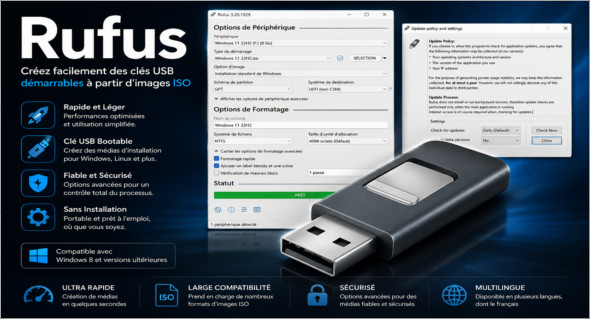
Rufus Rufus is a lightweight and efficient utility designed to easily create bootable USB drives from ISO images. It is particularly useful for installing Windows, Linux, or other operating systems from a USB drive, as well as for running maintenance, diagnostic, or recovery tools. Thanks to its simple interface, Rufus allows you to quickly prepare bootable media without complex procedures or prior installation.
This software is valued for its speed, small size, and broad compatibility with numerous systems. It can be used to create a USB installation medium from a Windows, Linux, or UEFI ISO image, work on a computer without an installed operating system, launch a low-level utility, or program a BIOS from DOS. Rufus runs immediately after download and requires no installation, making it very convenient for technicians, system administrators, and advanced users.
Main features of Rufus:
- Quickly create bootable USB drives from ISO images.
- Compatible with Windows, Linux, UEFI and many distributions.
- Lightweight, portable and easy-to-use application.
- No installation required: simply run the executable file.
- Supports numerous formats and bootable ISO images.
- Ideal for installing an operating system on a PC without an OS.
- Useful for maintenance, diagnostic and recovery tools.
- Clear interface with options suitable for both beginner and advanced users.
- Compatible with Windows 8 or later.
- Available in several languages, including French.
Rufus is therefore an essential solution for creating a bootable USB drive simply and reliably. Whether you need to install Windows 11, test a Linux distribution, repair a computer, or prepare a troubleshooting medium, it offers everything you need in a compact and fast tool.
Note that there is also Bootable USB Creator Pro, an alternative dedicated to creating bootable USB drives. You can discover it here: https://www.trucnet.com/bootable-usb-creator-pro/
Summary :
In summary, Rufus is a free, lightweight, and powerful tool for creating bootable USB drives from ISO images. Its simplicity, broad compatibility, and no-installation operation make it an ideal choice for quickly preparing installation or troubleshooting media.
Version : 4.15.2393 Beta2
Language : Multilingual (French included)
Size : 1.90 MB
Configuration:
– Windows (x32/x64 Bits): 7, 8, 10, 11
Download Rufus v4.15.2393 Beta2 Portable
This article was last updated on June 20, 2026