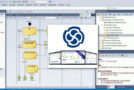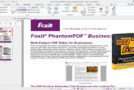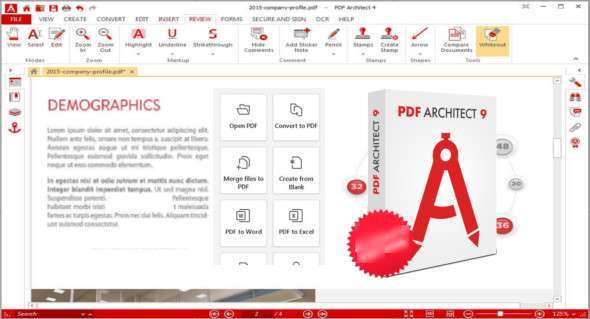
PDF Architect software helps you get the most out of your PDF files. The application is exceptionally lightweight, easy to use, and flexible. It's the advanced PDF solution with everything you need to customize, secure, and collaborate on your PDF documents. It includes all the features necessary for both home and business users looking to streamline their workflow. You can also download PhantomPDF Business.
PDF Reader
– Open and view any PDF file. Read .ePub files and comics (.cbr / .cbz)
– View and work on two documents on the same screen thanks to our exclusive side-by-side view.
– Access and save files from the cloud. Connect to OneDrive, Google Drive, Dropbox, and Box
– Send your files to Evernote to view and edit them on multiple devices.
Create PDFs
– Create PDFs from Word, Excel, PowerPoint and more
– Generate PDFs from the Print menu of any application
– Produce PDFs from images or directly from a scanner
– Batch create multiple PDFs at once
Edit PDFs
– Reorganize, move, delete and extract pages
– Split PDFs into multiple documents
– Use measuring tools such as rulers and grids
– Add, edit, or move text in your PDF
– Change the font type, size, and style
Insert
– Insert page numbers and links into your documents
– include images; cut, crop and change image resolution.
– Add watermarks to the background of your documents
– Insert headers and footers to personalize your files
– Use Bath numbering to index and identify legal documents
OCR PDF
– Transform scanned documents and images into editable PDF files with the award-winning IRIS Technology OCR software
– Recognize text automatically and in images
– Convert documents without retyping
– Batch recognizes the text in multiple documents
Convert PDF
– PDF to Word
– PDF to Excel
– PDF in PowerPoint
– PDF in HTML
– PDF in image format
– PDF in RTF and PDF/A
Other
Securing and signing, review, forms, electronic signature, etc.
Version : Pro 9.1.56.21764
Language : Multilingual (French included)
Size : 1.07 GB
Configuration:
– Windows (x64 Bits): 7, 8, 8.1, 10, 11
PDF Architect Pro + OCR v9.1.56.21764 Pre-activated
This article was updated on May 19, 2024