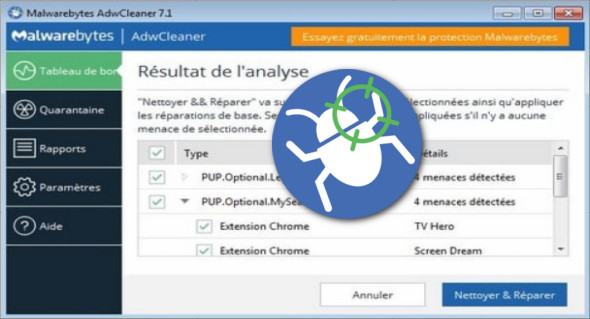
Malwarebytes AdwCleaner is a tool that scans for and removes potentially unwanted programs, adware, and browser toolbars. You can easily remove many of these types of programs from your computer, allowing you to browse the internet with ease and security.
The AdwCleaner tool is designed to remove malware that is automatically installed with free programs that you download to your computer, leaving you with additional toolbars, as well as other adware and unwanted software.
AdwCleaner is a tool that removes:
– Adware (software advertisements)
– PUP/LPI (potentially unwanted program)
– Toolbars
– Hijacker (hijacking the browser's homepage)
These options are described below:
/DisableAskDetection —This option disables Ask toolbar detection.
/DisableIEDetection —This option disables Internet Explorer-specific detections.
/DisableFFDetection —This option disables Firefox-specific detections.
/DisableChromeDetection —This option disables detections for Chrome and Chromium-based browsers.
/DisableOperaDetection —This option disables Opera-specific detections.
/DisableProxyDetection —This option disables Internet proxy detections.
Using AdwCleaner
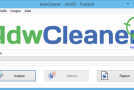
Launch it, and you'll see a window with a clear, clean button. The "Scan Now" button allows AdwCleaner to scan your computer for unwanted software and display all the files, folders, and registry entries on your computer used by these hijacking programs.
Configuration :
– Windows (x32/x64 Bits): XP, Vista, 7, 8, 8.1, 10
– Processor: 1 GHz
– RAM: 1 GB
Language : Multilingual (French included)
Size : 7.0 MB
This article was updated on November 27, 2018