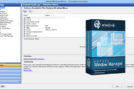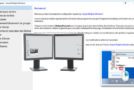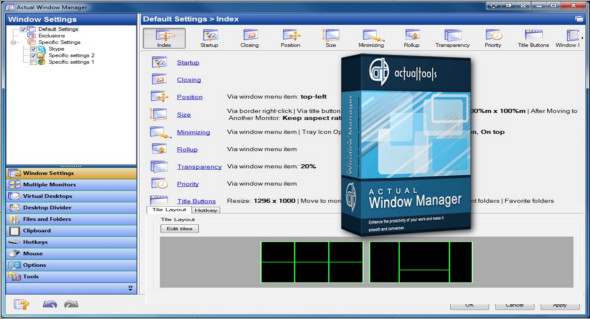
With Actual Window Manager, you get a fully functional taskbar for each monitor and many other features to enhance your multi-monitor desktop environment. It includes over 50 handy tools to help you manage Windows windows.
If your desktop workspace is insufficient, use the virtual desktops included in Actual Window Manager. This tool allows you to create as many virtual desktops as you need and increase your workspace. With Actual Window Manager, you can configure numerous settings for each window individually.
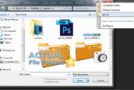
Actual Window Manager allows you to use two additional title buttons for each window. These special buttons improve navigation within Windows folders, so you don't need to use a lengthy mouse manipulation to access the desired folder.
Keyboard shortcuts are a tool for professionals, and Actual Window Manager fully supports them. Most of the program's functions can be activated via a keyboard shortcut, and you can customize the key combinations to your liking. Furthermore, you can add your own keyboard shortcuts for specific window operations.
Like a well-trained, precise, and discreet assistant, receive instructions once the actual Window Manager will automatically perform all the required actions for you while you run them in the background.
Some features of Actual Window Manager
– Fully functional taskbar for every display
– Wallpaper and screensaver management
– Additional mouse features for managing multiple monitors
– Unlimited number of additional offices
– Each virtual desktop is individual and fully functional
– Two modes for supporting multiple monitors: classic and independent
– Ignore deactivation: prevents the game from minimizing when you switch to another application.
– Lock mouse: locks the mouse pointer to a specific window or monitor, preventing it from leaving a game.
– You need to clone the main screens onto two or more additional monitors.
– You need to monitor what is happening on another screen, but you are out of sight (screen turned towards a customer, TV in another room, etc.).
– A single image stretched across the entire desktop
– Individual image on each monitor
– Individual slideshow running separately on each monitor
– Web slideshow from Google Image Search or Flickr
– Flexible image positioning (center, mosaic, stretch, proportional stretch, crop to fit)
– Place the windows exactly where they are needed
– To size them exactly as they should be
– Keep the important windows always above the others
– Minimize (either normally, or on the desktop/screen), or roll it up, or make it semi-transparent, or close inactive windows, in order to remove them from your path
– And many others
Configuration :
– Windows (x32/x64 Bits): XP, Vista, 7, 8, 8.1, 10
– Processor: 1 GHz
– RAM: 1 GB
Language : Multilingual (French included)
Size : 13.8 MB
This article was updated on December 5, 2018