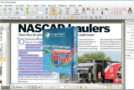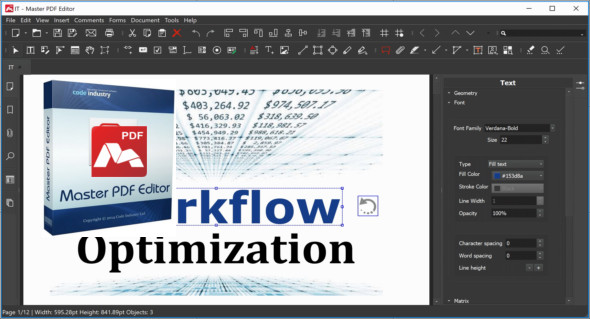
Master PDF Editor software provides powerful, versatile functionality, allowing you to easily work with PDF documents. With Master PDF Editor, you can easily view, create, edit, merge, split, sign, scan, encrypt, perform OCR, and print PDF documents. The software's interface is clear and very simple, enabling users to work quickly and easily. You can also use PDF Architect Pro.
Features of Master PDF Editor
Edit the text and objects
With Master PDF Editor, you can add text with any formatting to a PDF document or edit existing text. You can also insert images into the document, select and move objects, resize objects, save images to a file, and copy them to the clipboard.
Annotating PDF documents
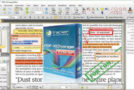
Powerful annotation tools such as Sticky Notes, measurement tools, and shapes, along with enhanced editing capabilities provided by Strikethrough, Underline, and Highlight features, will make your work easier than ever. Create unique stamps and use them to review documents or note their status.
Create and fill out PDF forms
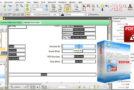
With Master PDF Editor, it's very easy to edit various elements of interactive PDF forms such as buttons, text fields, checkboxes, etc., as well as implement event handlers for predefined user actions. Automatic calculation and data validation with JavaScript are supported.
Optical character recognition
Optical character recognition allows for quick and efficient text searching, as well as editing of scanned documents and documents containing images.
Operations on the pages
Master PDF Editor supports merging and splitting PDF files. It allows you to easily move, delete, insert, and rotate pages within PDF documents, as well as resize them.
Bookmarks
Create, edit, and delete bookmarks. Add bookmarks to specified pages or paragraphs to enable quick document navigation and efficient information retrieval.
Virtual PDF Printer
Master PDF Editor is installed as a virtual PDF printer, allowing you to easily print all documents from different applications that support printing (e.g., Microsoft Word/Excel, OpenOffice).
Digital signatures
Verify digital signatures, create new ones, and sign documents with a digital certificate. For PDF documents, a digital signature is the equivalent of a handwritten signature on paper documents. The recipient of the signed document can therefore trust its authenticity.
* A digital signature certificate is required to use this function.
Create PDF documents
PDFs can be created directly from paper documents using a scanner. Master PDF Editor allows you to create documents from existing files, create blank documents, or insert blank pages into an existing document.
Version : 5.9.96
Language : Multilingual (French included)
Size : 259.53 MB
Configuration:
– Windows (x64 Bits): 7, 8, 8.1, 10, 11
Download Master PDF Editor v5.9.96 + Portable
This article was updated on February 19, 2026