Quickly convert PDF files to Excel XLSX or XLS
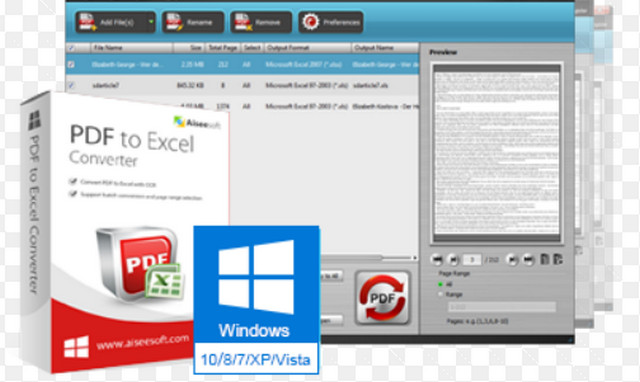
Aiseesoft PDF to Excel Converter makes it very easy to quickly convert your PDF file to an editable Microsoft Excel file that you can save as XLSX or XLS and preserve the formatting of tables so that your data is easy to work with.
With Optical Character Recognition (OCR), this PDF to Excel conversion tool offers unparalleled accuracy and capability for converting scanned PDF documents into editable Excel files, preserving the original layout and formatting. Selecting an output language that is as consistent as possible with the original file can further improve the accuracy of the converted file.
Convert the PDF document to an editable Excel file
Turn scanned text into editable data with OCR technology
Export only the PDF data you want to Excel spreadsheets for easier analysis and reporting
Supports multilingual PDF files for conversion.
Main features:
Convert PDF to Excel file:
Convert your entire PDF file into an Excel document
Aiseesoft PDF to Excel Converter lets you quickly and accurately convert PDF documents back into editable Microsoft Excel files that you can use immediately. You can save PDF files as Microsoft Excel 97-2003 (*.xls) or Microsoft Excel 2007 (*.xlsx). In the latter case, you can also select the "pages per sheet" option.
Export only the data you need to Excel spreadsheets
If you want to modify only part of the information in the PDF files, simply enter the page number or range you want. Then the sections you specified will be exported.
Save time with batch processing
Importing multiple PDF files into this amazing software and converting them into Excel spreadsheets can save you time. It's just that convenient.
Support for multilingual PDF files
Our PDF to Excel conversion software supports PDF files in multiple languages, including English, German, French, Japanese, Latin, Korean, Turkish, Thai, Greek, Cyrillic, Arabic and Chinese, etc.
OCR technology support:
Supporting optical character recognition technology
To make a scanned PDF document editable, you can convert the document image into "real" text that can be edited and analyzed in Excel via OCR (Optical Character Recognition), and even choose the language to improve conversion accuracy.
Easier, faster, and better quality:
Easy to use
An intuitive and user-friendly interface makes converting PDF files to Excel documents easier than ever.
Ultra-fast conversion
With excellent encoding and decoding technology, this PDF to Excel converter offers you super fast conversion speed and perfect output quality.
- Format: Rar
- Language: French, English, Chinese, De
- Size: 114.75 MB
- Compatibility: Windows 10, 8, 7, Vista, XP (32/64-bit)
This article was updated on July 22, 2016