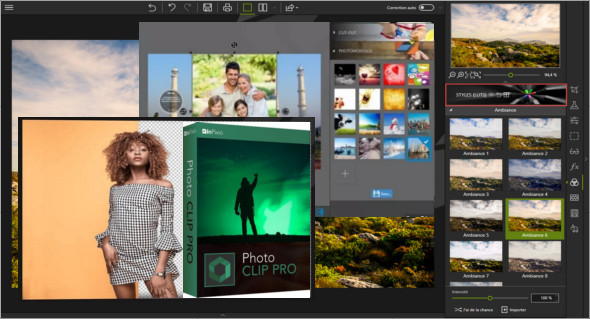
Photo Clip Professional 9 is a powerful application that enhances digital images by reducing noise and other effects, as well as cutting or erasing areas.
Users can easily remove unwanted parts of images and enhance them by applying various effects using InPixio Photo Clip Professional. It's a powerful application with a simple user interface that allows users to quickly customize images effortlessly. The application features a video editor, video cutter, and eraser. Various presets are available, facilitating instant image customization.
Furthermore, it is also possible to make various adjustments to the images, including hue, saturation, exposure, temperature, brightness, contrast, shadows, sharpness, and many others. You can modify and apply creative blur effects, grain vignetting, and more.
Some of the features of InPixio Photo Clip Pro 9 :
– A lightweight yet powerful image editing suite
– Apply various effects and make different adjustments to enhance the images.
– Various image editing, manipulation, and cropping/erasing tools
– Remove unnecessary parts of the images
– Customize images and create montages with backgrounds
– Edit different images using the photo editor.
– Numerous presets and the ability to apply different effects to the images
– Make various edits using the photo editor
– Adjust the contrast, hue, saturation, temperature, brightness, shadows, and other settings
Apply creative blur, vignetting, and film grain effects, then add photo frames
– Supports all image formats, as well as RAW image editing
Version : Pro 9.0.2
Language : Multilingual (French included) / Portable: English
Size : 352.70 MB / Mobile: 283.05 MB
Configuration:
– Windows (x32/x64 Bits): 7, 8, 8.1, 10
– Processor: 1 GHz
– RAM: 2 GB
InPixio Photo Clip Professional 9.0.2
InPixio Photo Clip Professional 9.0.2 Portable