To find out the age of a computer that has never been reinstalled or to know when the last PC formatting took place, it is useful to find the Windows installation date.
There are (paid) programs that provide this information, but a simple command will give the same information.
This tutorial works on all versions of Windows: XP, Vista, 7, 8, 10 and Server versions.
Knowing the Windows installation date
1. Open a Command Prompt (cmd.exe).
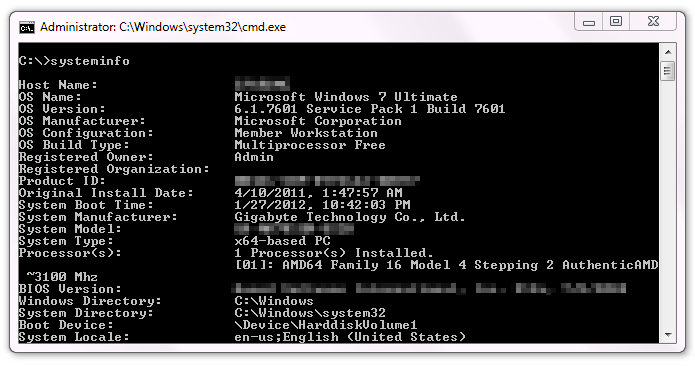
2. Type the command:
systeminfo | find "installation"
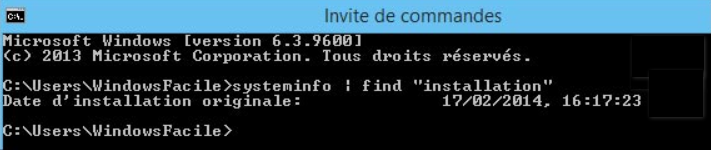
In this example, Windows was installed on February 17, 2014.
Note: This command is an extract from "systeminfo" which gives a long list of system information.
This article was updated on June 7, 2023