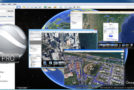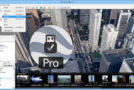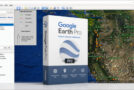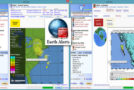
Google Earth is a virtual world map.
With just a few clicks, you can access satellite images of most places on Earth. Whether the location is viewed from space or just a few meters above the ground, the image quality is astonishing. Simply enter the desired location into the search engine, and the camera will activate and guide you there.
The Globe is very intuitive to operate; it is possible to orient the camera, rotate it, move it, and of course, enlarge the image.
Additional information can be superimposed on the satellite image, such as hotels, restaurants, roads, etc.
Since Google Earth is entirely made in 3D, the relief of the areas (land and sea) as well as the buildings are also visible.
It's possible to annotate the map, send a satellite image by email, or even take measurements accurate to the centimeter. Google Earth is now linked to Google Maps with a single click, and you can also adjust the lighting of a location depending on the time of day. Finally, you can connect a GPS device to view your routes and access precise data such as elevation changes, speed, and more.
Minimum configuration:
Operating system: Windows XP or later
Processor: Pentium 3 at 500 MHz
System memory (RAM): 512 MB
Hard drive: 500 MB of free space
Network speed: 128 kbps
Graphics card: DirectX 9 3D compatible with 64 MB of VRAM
Screen: 1024 x 768 resolution, 16-bit color – DirectX 9 (to run Google Earth in DirectX mode)
- Language: French / Multi
- Size: 57.47 MB
This article was updated on January 17, 2017