Protect all your digital documents with our exceptional backup solution.
Acronis True Image is software that allows you to create backups of your files or the entire operating system. The goal is simple: to allow you to quickly and easily restore a system to the state it was in at the time of the backup (provided, of course, that the backup was made on a healthy system).
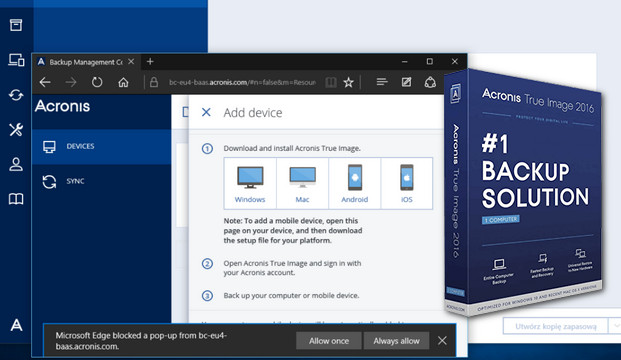
Acronis True Image 2016 takes an exact image of your hard drive or separate partitions for a complete backup of your system.
The application then allows you to restore all its contents, including the operating system, programs, data, and personal settings, at any time. In the event of a hardware or software failure, Acronis True Image 2016 protects your data, even when a regular data backup fails.
Acronis True Image 2016 stores disk images on hard drives, CDs/DVDs, Zip drives, Jaz drives, and other removable storage devices, as well as network drives. It also includes 2 GB of online storage. The application allows for password protection of archives through an extremely easy-to-use wizard-style interface. Acronis' innovative technology enables the creation and restoration of full disk images online within Windows, so you don't have to perform tedious DOS-mode reboots, even when backing up system partitions.
Main features:
-Complete backup in image format:
Back up an entire computer, including the operating system, applications, and data.
This backup is far more comprehensive than simply copying files or folders to a disk.
external.
-Universal Restore:
Restore backed-up data, including the operating system, applications, and data to your existing computer or different hardware, or restore only the data you need.
-Optimized for Windows 10 and the latest versions of Mac OS X:
Certified for Windows XP, 7, 8 and 100
Additional features:
-Fastest backup and restore solution on the market.
-Simplicity and speed of restorations.
-Sophisticated conservation and backup models.
-Security and confidentiality.
-Flexible file restoration.
-Proven backup technology.
Supported file systems:
– NTFS, FAT32, Ext2/Ext3/Ext4
– ReiserFS
– Linux SWAP
* Ext2/Ext3/Ext4, ReiserFS and Linux SWAP file systems are supported only for disk/partition backup and restore operations.
System requirements
-Windows XP SP3, Windows 7 SP1, Windows 8 & 8.1, Windows 10 (all editions), Windows Home Server 2011.
-1 GB RAM
-Pentium 1 GHz processor or higher
-1.5 GB of available disk space
Facility
1. If a previous version is installed, uninstall it with "atih_cleanup_tool_s_e.exe" then restart your computer and run CCleaner.
2. IMPORTANT: Disconnect your internet connection.
3. Open the folder (AcronisTrueImage2016) and run (atih_installer_shell_standard.exe).
4. Launch Acronis and click on "Enter serial number": Serial number:
XTSLAH7A-T7BQZMVA-AZN85T47-MV5PQS29-NWPBLM9M-ENDN2VA4-8ZF7WEGA-XQ78Y8CN
then click on Activate.
then close the software.
5. Next, run the patch "ActivationAcronisTI(H).exe" as Administrator.
6. Next, rename the license_activator.exe file to license_activatortor.exe, for example, to prevent online serial verification. Simply go to this location on your computer: C:\Program Files (x86)\Acronis\TrueImageHome (for 64-bit Windows) or C:\Program Files\Acronis\TrueImageHome (for 32-bit Windows) and rename the license_activator.exe file to license_activatortor.exe
7. IMPORTANT:
Next, restart Acronis True Image and go to the "Account" tab. Then uncheck "Automatically check for updates at startup," and then close the software.
8. Reactivate your internet connection and then restart Acronis True Image 2016.
To verify that Acronis True Image is activated, simply go to the "Account" tab in the Acronis application.
- Language: French / English / Multilingual
- Size: 1.18 GB
This article was updated on July 21, 2016