Disk image backup is probably one of the most powerful methods to avoid wasting time reinstalling your system in case of a major problem such as the spread of a virus, for example, or a serious error in your operating system.
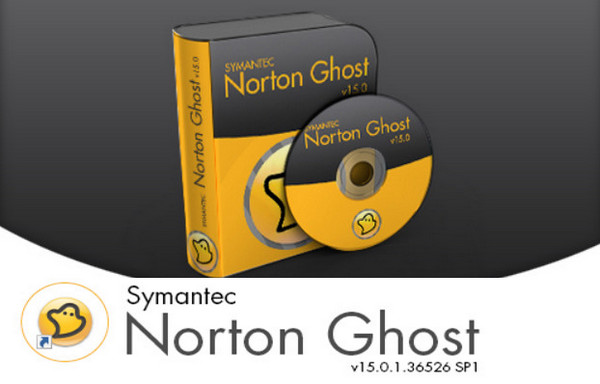
Norton Ghost is undoubtedly one of the most used applications for this purpose, and Symantec has been developing this sophisticated software for many years now: complete archiving, versioning, image compression, browsing among them, remote management and scheduling are all features that you will find in this suite.
New features include LightsOut Restore, a software-based disk recovery environment that allows you to restore an image without even booting your operating system. Finally, it's now possible to create a virtual disk (.vmdk or .vhd) from an image.
RELEASE NOTES 15.0.1.36526 SPI
– Fixed: – error E4BC0005: Cannot restore file when AES is enabled and on a ZIP file larger than 1GB on network share or on CD/DVD.
– Fixed: – “System.RuntimeinteropServices.COMException” error message after selecting “Unable to determine status” on the home page.
– Fixed: – After making a disk copy with Windows 7, some HDs are not bootable.
– Fixed: – “You do not have sufficient privileges to perform this operation.”
– Fixed: – Windows Security alert message that cannot verify the software publisher during SPI installation.
Configuration:
– Windows XP, Vista, 7, 8 and 10 (x86 and x64)
– 300 MHz processor or faster
– 512 MB of RAM (1 GB recommended)
– 430 MB minimum disk space
– CD-ROM or DVD-ROM drive
– SVGA resolution (800 x 600) or higher for the monitor and video card
Facility:
1- Launch " Symantec Norton Ghost v15.0 (F).exe » to install the program on your computer.
2- Launch " Symantec Norton Ghost v15.0 (SP1).exe » to upgrade to SP1 (v15.0.1.36526)
3- Then launch the program and register it with the KeyGen « KeyGen [CORE].exe"
-4- (For Windows 10):
* Go to the folder:
* C:\Program Files (x86)\Norton Ghost\Agent
* Put VProSvc.exe in Windows 7 compatibility mode for all users (checkbox at the bottom of the window when you right-click -> Properties on the file)
* Restart the computer so that the services restart in this mode (or just restart the service)
* Your key will register without any problems.
- Language: French / Recovery Disc in English
- Size: 469.58 MB
This article was updated on July 21, 2016