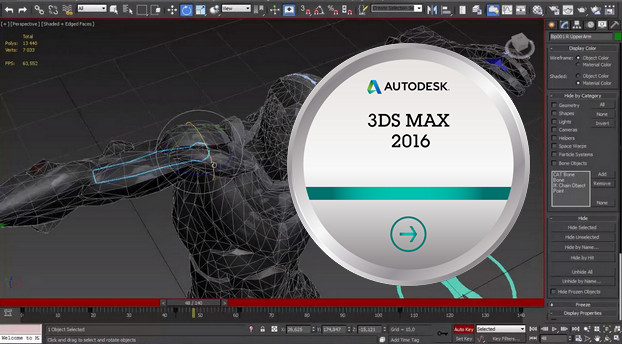
Autodesk 3ds Max is a 3D modeling, animation and rendering software for the development of games and film and television content.
New features in the 2016 version
Boost your productivity by creating custom tools and accelerating the sharing of your entertainment design and creation projects. With the new features of 3ds Max® animation and modeling software:
Add modifiers and geometric objects to your 3ds Max® projects by creating your graphics in a visual environment similar to the detailed Material Editor. The new node-based tool creation environment, Max Creation Graph, lets you create your own node types by saving graphics called compounds, or create custom tools and visual effects by choosing and combining desired node types from a selection of hundreds of operators. These newly created tools can be grouped into modules and shared with all your collaborators.
Facilitate collaboration between teams and across the entire production pipeline with support for non-destructive Xref animation workflows and optimal product stability. Add external references to your scenes and animate the referenced objects or modify their materials directly in the source file, without merging them. All changes made to the source file are inherited in your local scenes. Publish and organize animatable parameters on the desired node to allow all users to easily add external content references to their scenes.
– Represent subdivision surfaces in 3ds Max using the OpenSubdiv libraries, published as open source code by Pixar. Improve the performance of complex subdivided meshes in your presentation viewports with libraries based on Microsoft Research technologies and designed to leverage CPU and GPU architectures in parallel.
– Create complex topologies with a consistent appearance faster using the crease modeling workflows available through the CreaseSet modifier and crease explorer. Based on FBX® exchange technology, these tools facilitate the transfer of models to and from the source.
other modules compatible with OpenSubdiv.
– Benefit from improved performance in terms of speed and quality when modifying models and creating poses thanks to OpenSubdiv functions enabling adaptive subdivision in viewports and during rendering.
– Easily access object positioning, lighting, rendering, modeling, and texturing tools: the new design workspace features offer an optimized workflow through a logical task system. Create high-quality still images and animations more easily with new accelerated design data import features.
– Create your scenes faster with new on-demand templates that offer standardized starting configurations. Easily import, export, and share your templates. You can also create your own templates or modify existing ones to fit your workflow.
– Benefit from greater flexibility and creative control with the new camera sequencer, which allows you to switch between multiple cameras and adjust and rearrange animated clips non-destructively, without altering the original animation data.
– Effortlessly reduce unwanted artifact deformation using dual quaternion skinning. This new smooth skinning process is specifically designed to avoid the "bowtie" or "candy-wrap" effects that often occur on characters' shoulders or wrists, resulting from mesh volume loss after twisting or rotating deformers.
– Improve texture accuracy with the new Double Quaternion option in the Skin modifier: apply skinning as
paint in order to accentuate its effect on the desired surface areas and to reduce it when linear weighting offers a better result.
Save time and money by virtualizing rendering jobs in the cloud. Autodesk® A360 rendering support lets you create stunning, high-resolution images without monopolizing your workstation resources or using specialized rendering hardware. Available to Maintenance and Desktop Subscription subscribers, A360 also lets you create and share solar study renderings, interactive panoramas, and illumination simulations, and re-render previously downloaded files.
– Simulate real-world camera settings, such as shutter speed, aperture, depth of field, and exposure, with the new Physical Camera tool, developed in collaboration with Chaos Group, the inventors of the V-Ray engine. Improved functionality and more accurate results displayed in the viewports allow you to easily create photorealistic images and animations.
Configuration:
Microsoft Windows 7 (SP1) / Windows 8.1 Professional
Internet connection
Intel Pentium 4 or AMD multi-core processor
Video card with 1280×1024 resolution
4 GB of Memory
20 GB of disk space
Virtualization: Citrix XenApp 6.5 FP1 or Citrix XenDesktopTM 5.6
Facility
Auto Unpack one of the two EXE files into a folder that will serve as the basis for the installation.
1. Install Autodesk 3DS MAX 2016 from this folder.
2. Use serial number 666-69696969, 667-98989898, 400-45454545 066-66666666.
3. Use the "Product Key": 769H1
4. Finish the installation and restart the Autodesk product.
ACTIVATION:
5. Before pressing "Activate", you have 2 options (option b is slightly faster):
– a) Completely disable the network so that it cannot perform any checks on the internet. It will tell you that an internet connection is required; press the button to close the window, then press "Enable" again.
OR
– b) Do not disable the network. It will perform an internet check. Close the window, then click "Activate" again.
6. Select "I have an activation code".
7. When you see the activation screen, launch the "XForce" Keygen, which is located in the "XFKeygen" folder.
8. Click on "Patch". It is important to see the message: "Successfully patched".
9. Copy and paste the "Request Code" into the Keygen. Click "Generate," then copy the activation code into the program's activation window.
- Language: French
- Size: 4.60 GB
This article was updated on November 20, 2024