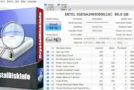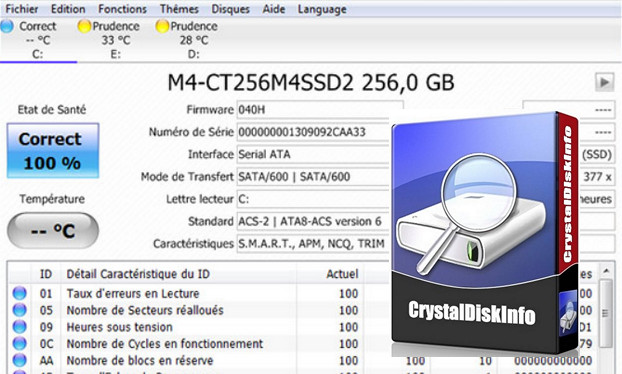
SMART (Self Monitoring Analysis and Reporting Technology) technology, which equips hard drives, allows for the continuous collection of information on the health of your equipment: read error rate, head access error rate, temperature, number of reallocated sectors, defective sectors, etc.
What for? An unusual value can warn you of an impending hardware failure on your hard drive. It is therefore wise to regularly check the SMART data status of your hard drives. This will allow you to safeguard the data on a hard drive that is experiencing difficulties and could fail at any moment.
Practical CrystalDiskInfo will allow you to access SMART data in a clear way. In addition to technical information about your hard drive, the software tells you, based on the collected data, whether the state of your hard drive is correct, or if any problems have been detected.
The software also allows you to obtain real-time graphs that display the temperature and health of your disks.
High-performing : a very practical and useful program that allows you to obtain a lot of information about the hard drives and SSDs connected to your machine.
CrystalDiskInfo provides a fairly wide range of information: the hardware reference (brand and model), its storage capacity, the firmware used, the hardware serial number, its interface (SATA, USB, etc.), the interface standard (SATA II, SATA III, etc.), the drive letter used by the device (D:, E:, F:, etc.), the supported features (Smart, NCQ, TRIM, etc.), the hardware temperature, the cache memory size, the number of times the product has been powered on, its operating time, and much more…
CrystalDiskInfo is a very comprehensive information software. This is why it is used by many computer magazines and websites (including Bhmag) when testing SSDs or HDDs in order to obtain maximum detail on the products analyzed.
Configuration
– Windows: Windows XP to 10 (x86 x64)
– Intel processor: Pentium 4
– 1GB RAM
– Hard drive with 1GB of free space
– DirectX 9 and higher compatibility (not mandatory)
Facility :
For a computer with Intel x86 x64
execute: CrystalDiskInfo 6.8.2 x86 x64.exe
- Languages: French / English / German / Italian
- Size: 234.29 MB
This article was updated on July 21, 2016