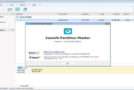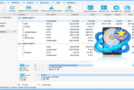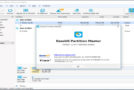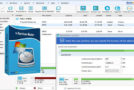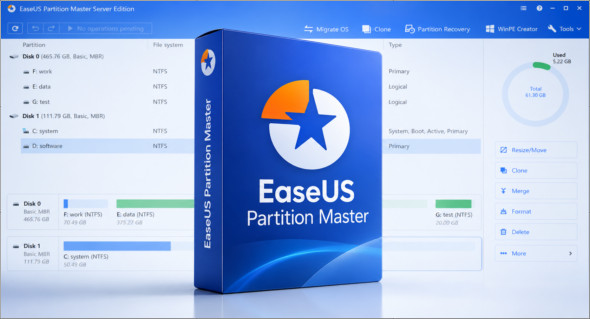
EaseUS Partition Master is one of the best disk partition management software programs. This application offers excellent performance, is lightweight and easy to use, and has powerful features designed for both beginners and professionals. You can also use AOMEI Partition Assistant.
EaseUS Partition Master software contains several editions and you can use it according to your needs:
EASEUS Partition Master Professional
EASEUS Partition Master Server
EASEUS Partition Master Technican
EASEUS Partition Master Unlimited
With EaseUS Partition Master, you can create a new partition on your hard drive, copy data from one drive to another, format, resize, merge two drives, split a drive, hide a drive, show a drive, and make it active or inactive. The program also features NTFS partition safety. If you lose power or encounter another hardware problem that interrupts the partitioning/moving process, the hard drive automatically reverts to its previous state. This prevents data loss or hard drive malfunction and allows you to safely try again.
EaseUS Disk Partition provides a quick solution for transferring operating system copies to hard drives/SSDs without reinstalling Windows, deleting programs, reconfiguring settings, or losing files. You can replace old drives with new SSDs, speed up your system, and quickly back up and restore your system in case of problems.
Recover the partition
Recover deleted or lost partitions in unallocated space, even when Windows fails to boot.
Convert a disk/partition
Convert between primary/logical partition, MBR/GPT disk, dynamic/basic disk and even FAT and NTFS file systems.
Align 4K SSD sectors
Align all sectors to be optimized for the SSD during allocation; utilize the full capabilities of your SSD.
Windows Storage
Easily manage virtual disks created from free space in a Windows environment storage pool.
Command-line partitioning
Fully manage the disk/partitions from the command prompt with simple entries.
Clean the disc
Clean up unnecessary files and large files that take up a lot of disk space, and optimize disk performance with defragmentation.
RAID-5 Volume Repair
Quickly repair a RAID-5 volume when a member disk fails to reduce company costs.
Create a WinPE boot disk
Create a bootable drive to start your computer and manage partitions on drives where the Windows operating system is not installed.
Version : 20.8.0 Build 202609231322 /WinPE: 20.8.0 Build 202609231322
Language : Multilingual (French included) / WinPE Boot: English
Size : 145.66 Mo /WinPE Boot: 790.66 Mo
Configuration:
– Windows (x32/x64 Bits): 7, 8, 10, 11
Download EaseUS Partition Master v20.8.0 Build 202609231322
Download EaseUS Partition Master WinPE v20.8.0 Build 202609231322
Cet article a été mis à jour le 24 September 2026