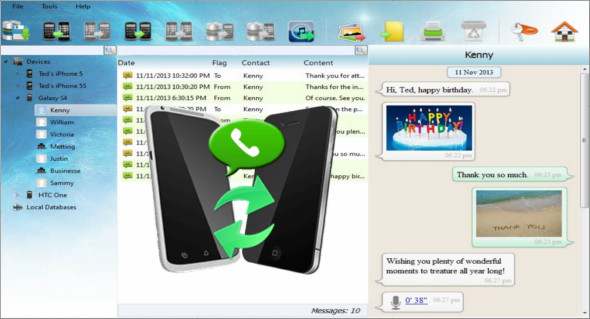
Android iPhone WhatsApp Transfer is a tool to help you manage WhatsApp chat history for your Android/iPhone devices or to transfer WhatsApp messages between Android and iPhone, and to copy Android/iPhone WhatsApp messages to a PC or other device.
Backuptrans Android iPhone WhatsApp Transfer PlusThis is the best all-in-one WhatsApp message manager solution that lets you copy and share WhatsApp chat messages for Android/iPhone directly to your computer. No root/jailbreak required.
The Android iPhone WhatsApp Transfer software provides you with all the necessary solutions, including transferring Android WhatsApp to iPhone, transferring iPhone WhatsApp to Android, transferring Android/iPhone WhatsApp to computer, restoring WhatsApp from one computer to another Android/iPhone, and extracting attachments from WhatsApp Messages to your computer.
Backup and restore your WhatsApp chat history for Android/iPhone to your computer. With Backuptrans for iPhone Android WhatsApp Transfer, you can easily back up and restore WhatsApp messages, including video and photo attachments, to your computer. Backuptrans iPhone Android WhatsApp Transfer provides an excellent way to view, export, or print WhatsApp messages on a computer. Users can export and save WhatsApp messages as files to their computer in just a few clicks. Supported file formats include TXT, CSV, Word, HTML, and PDF.
Version : Plus 3.2.116
Language : English
Size : 36.46 MB
Configuration:
– Windows (x32/x64 Bits): 7, 8, 8.1, 10
– Processor: 1 GHz
– RAM: 1 GB
Android iPhone WhatsApp Transfer Plus 3.2.116
This article was updated on June 12, 2019