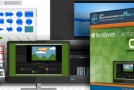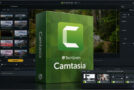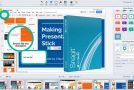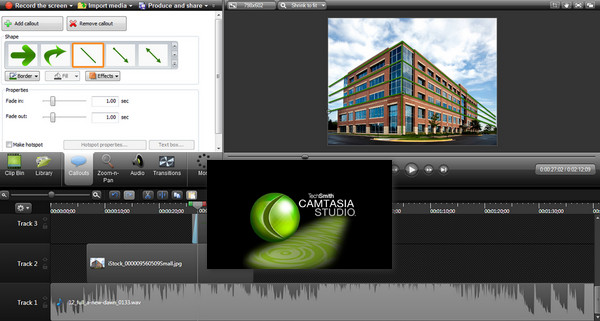
Camtasia Studio is the name of the flagship software from the publisher Techsmith. This small, professional-grade suite allows you to capture video of actions taking place within a specific area of the desktop, the entire desktop, or a Windows window.
The software will allow you to perform a complete editing of your screencast (with many options).
The suite offers two independent tools: Camtasia recorder for recording and Camtasia Studio for editing.
After selecting the capture mode, a click allows you to start the recording including (or not) the sound from the computer and/or the microphone.
Several options allow you to add annotations or cursor effects on the fly to the video in order to focus attention on a particular area.
Once the necessary footage has been captured, it can be easily edited by adding themes, annotations, animated backgrounds, transitions, etc. Finally, the software will allow you to export the video in numerous formats as well as to social media.
Production formats:
MP4, WMV, MOV, AVI; M4V, MP3 and GIF.
Changelog:
– New behaviors to quickly animate images, video, or text.
– New hooks
– New subtitles in the workflow
– New 64-bit engine for faster editing and encoding
– New default perks in the perk library
– Drag and drop assets, effects, and other elements directly onto the canvas.
– Canvas publishing.
– Ability to share projects with Mac
– Color adjustments (Brightness, contrast, saturation)
– Improved narration voice
– Improving the questions
– Feedback per question
– Support for Animated GIFs
– User interface update (more similar to Mac)
Configuration:
– Windows (64 Bits): 7, 8, 8.1, 10
– CPU: 2.0 GHz dual-core
– RAM: 2 GB
– Other: Microsoft .NET 4.6.0 or higher, sound card, microphone, speakers (recommended)
Facility :
1. Turn off your internet connection
2. Install Camtasia
3. Check I have a software key
4. Put whatever you want in NAME
5. Use the keygen to generate a serial number and copy it into Key
6. A warning message appears, press OK
7. Reactivate your internet connection
- Language: English
- Size: 272.02 MB
This article was updated on March 5, 2020