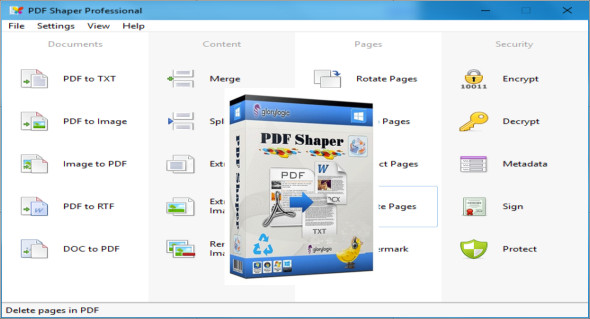
PDF Shaper Professional is an advanced PDF management tool for editing, converting, splitting/merging, and other advanced features. It supports advanced optical character recognition (OCR) for converting image formats to PDF, etc.
Considering its advanced PDF tools, PDF Shaper provides a reliable solution for managing PDF documents. This version of PDF Shaper is versatile and consistent, with many impressive features. It's a powerful toolkit for splitting, merging, cropping, and many other options for PDF documents. Convert PDF files to various formats, including images, RTF, Office, and more. It can perform all the necessary operations on PDF documents.
An elegant and user-friendly interface with well-structured options, a productive environment primarily divided into documents, pages, content, and security for easy file management. Extract specific content from documents, password-protect documents, set permissions, add stamps and watermarks, and rotate documents are all provided by this excellent tool. Scan documents and obtain the desired content, then perform a wide range of other tasks.
Features of PDF Shaper Professional
– A reliable tool with all the basic features for PDF management
– Convert PDF documents to other formats
– Splitting, merging, and encryption/decryption functionalities
– Extract the content from PDF files
– Rotating, cropping, deleting and inserting content in PDF files
– Add/Remove watermarks and signatures
– Integrated OCR tool
– Easy-to-use, user-friendly and organized interface
And much more.
Version : Pro 9.3
Language : Multilingual (French included)
Size : 28.90 MB
Configuration:
– Windows (x32/x64 Bits): XP, Vista, 7, 8, 8.1, 10
– Processor: 1 GHz
– RAM: 1 GB
PDF Shaper Professional 9.3 + Portable
This article was updated on September 9, 2019