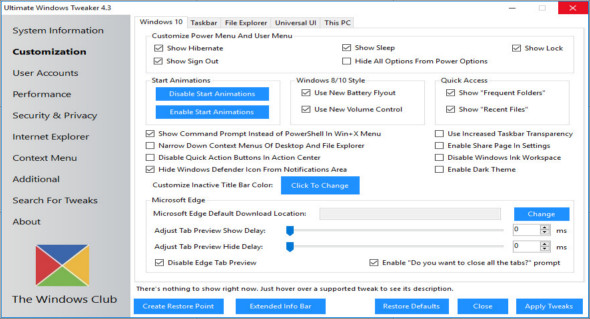
The Ultimate Windows Tweaker application helps you change, switch, and personalize the Windows 10 operating system, and also allows you to add several new settings to the new operating system. With Ultimate Windows Tweaker, you can modify and customize your system to be faster, more stable, more personal, and more secure with just a few mouse clicks.
Ultimate Windows Tweaker is similar to TweakUI for Windows 10. While you can access all these things by applying Windows 10 settings, the Registry Editor, or the Group Policy Editor, Ultimate Windows Tweaker makes it easier by offering all the useful settings of a user interface.
Features of Ultimate Windows Tweaker for Windows 10:
– Easy-to-use user interface
– The tooltips offer you advice on what the tweak does.
– Provides accessible buttons to create a system restore point and restore default values
– Small tool, super lightweight at only about 450 KB
– Powerful with over 200 significant settings
– Portable tweaker. Does not require installation.
– Report bugs simply by using the button in the about tab.
– Support available on the TWC Forum.
– Check for available updates.
– Export and import your tweaks
– Easy-to-use search function.
Version : 4.7.1
Language : English
Size : 0.68 MB
Configuration:
– Windows (x32/x64 Bits): 10
– Processor: 1 GHz
– RAM: 1 GB
Ultimate Windows Tweaker 4.7.1 Windows 10
This article was updated on February 22, 2020