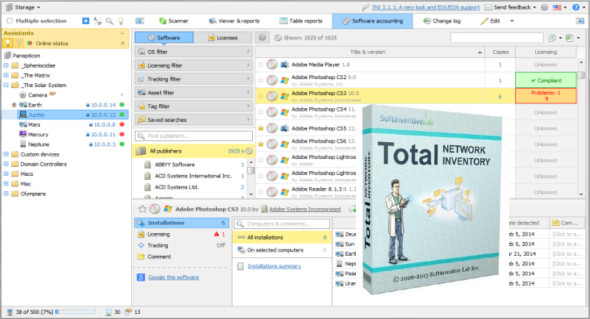
Network Inventory PRO is designed to have the features required for all computers on a network. With this program, you can obtain detailed information about the computers currently connected to a network. The process doesn't take long, as it comes with an easy-to-use interface that provides a wealth of information once you start the network scan. You can also use MyLanViewer Enterprise.
With Network Inventory PRO, you can perform remote actions. Users can easily select a specific computer on the network, and the application will insert detailed data about the operating system, hardware, software, and BIOS. In addition to viewing data, you can also modify the history of a specific PC, access the task scheduler, or perform restart/shutdown operations. You can also detect and review hardware and software changes. Discover when to install, uninstall, or update the application on any computer on your network.
Features of Total Network Inventory Pro
– Checking computers on the network
– Get detailed information about the computers connected to the network
– You can perform actions remotely
– IT hardware verification and software inventory management solution
– Analysis of Windows, OS X and Linux computers and servers
Uninstall or update it on any computer on your network
– Detect and scan for hardware and software changes
– Create a database of your network users
– Storing a number of passwords for different assets and protocols
Version : Pro 5.4.0 Build 6051
Language : Multilingual (French included)
Size : 52.36 MB
Configuration:
– Windows (x32/x64 Bits): 7, 8, 8.1, 10
Network Inventory Professional 5.4.0 Build 6051
This article was updated on May 27, 2022