CPU-Z is a free software tool that provides all the information about your PC, such as the processor, RAM, hard drive, and graphics card. The application is easy to use, and you don't need any additional computer skills or knowledge to access the information. You can also use CPUID HWMonitor Pro
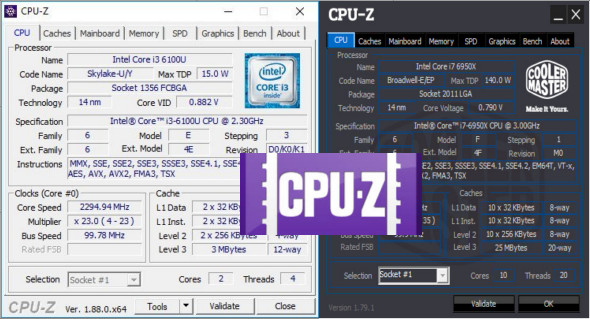
CPU-Z is a very useful and practical tool that displays all the information about a computer system. Users can easily and quickly check detailed information about systems such as desktops and laptops. The CPU-Z software has a very attractive and user-friendly interface and displays detailed information on a single page. Basic system information that can be viewed through CPU-Z includes RAM, hard drive, processor name and vendor, progress and basic processes, processor package, internal and external clocks, clock multiplier, partial overclocking detection, motherboard and chipset, and each processor's internal frequency, memory frequency, and core cache levels.
Simply run the lightweight CPU-Z application and get a detailed overview of your systems. You can then save the report to your PC in TXT or HTML format. You'll be able to copy it to a USB drive or other removable media and regain full functionality of the original application.
Features of the CPU-Z tool
– Single-page PC overview
– Details of the processor, motherboard and memory
– Real-time measurement
– Easy to use and install
– Attractive and user-friendly interface
– Compatible with the latest operating systems
– Save the report in TXT or HTML format
Version : 1.95
Language : English
Size : 9.42 MB
Configuration:
– Windows (x32/x64 Bits): XP, Vista, 7, 8, 8.1, 10
Download CPU-Z 1.95 + Portable
This article was last updated on June 6, 2025