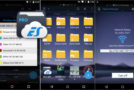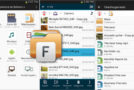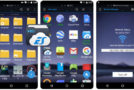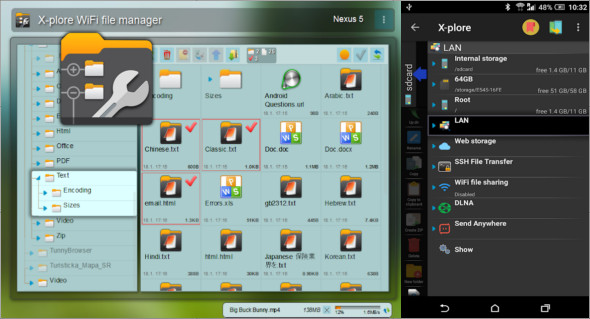
The X-plore File Manager Android app to manage your phone's files in a distinctive and fast way, browse folders in internal and external storage and cloud storage, browse system files, applications, network files and much more.
The application stands out for its folder navigation method, displaying several main sections that lead to specific locations. The application also features two interfaces, allowing you to view two different sections simultaneously. You can switch between the two sections by swiping left or right, and a vertical sidebar appears containing essential file management tools for the main sections. You can also use ES File Explorer File Manager Premium.
Several Android file management tools
The application includes a comprehensive set of sections and various functions that manage your files to the fullest extent; we will mention the following sections:
Manage cloud storage
The application supports communication with various cloud storage services such as Google Drive, Dropbox, Mega and others, and after connecting, you will be able to access and easily manage your files in these services.
Sharing folders on the local network
If you are connected to a local network with computers containing shared folders, you can access these folders by searching for devices or creating them by typing the device's IP address, username, and password.
Manage mobile applications
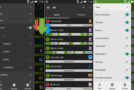
You can manage the apps on your phone, such as viewing the app's system information or opening the app in the Google Play Store, and you can also uninstall the app or share it as an APK file on another phone and delete it.
Sending and receiving files
You can also send or receive files via the application, and when sending files, you must enable the function to receive files on the other phone via the same application, then choose the special connection code that you write on the recipient's phone.
Share files via FTP
An excellent way to access your phone's files wirelessly via a computer or another phone, and you can enable the Wi-Fi server to show you an IP address that you type into the browser to access the files, and sharing settings can be controlled via Wi-Fi with several things.
Features of X-plore File Manager
– Excellent application for managing your files anywhere.
– Display two interfaces to manage multiple services at once.
– Access and modify system files if root access is available.
– Manage files and folders in the phone's local storage appropriately.
– Connect to various cloud storage services to manage the files it contains.
– Access to shared folders on the local network.
– Share files via FTP with ease.
– Send and receive files via a service specific to the application.
– Manage and share mobile applications.
Version : 4.24.20
Size : 7.38 MB
Compatibility: Android 5 or More
X-plore File Manager 4.24.20
This article was updated on January 30, 2021