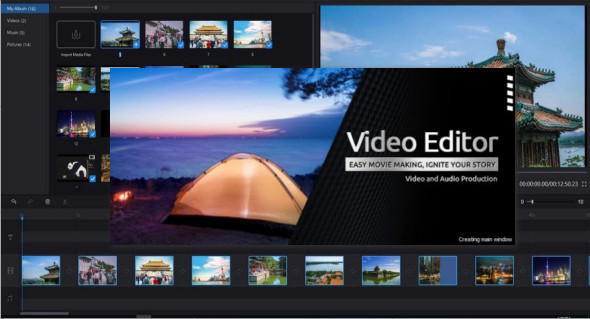
Windows Video Editor is a lightweight video editor that contains a set of tools for editing your video files. You can also use Windows Movie Maker.
With Windows Video Editor, you can do almost anything to edit your videos. You can easily crop, trim, rotate, split, cut, or join them. You can add effects, text, animations, watermarks, subtitles, and music to your videos. You can adjust the video speed, brightness, contrast, saturation, and much more.
Advantages of using Windows Video Editor
– Lightweight video editor
– Easy to cut / rotate / split / trim / join your videos.
– Edit videos in batches.
– Add effects, text, animations, watermarks, subtitles, music
– Create video clips from images.
– Adjust the video speed, brightness, contrast, saturation, or any other element of your video
– Adjust all the settings and properties of your videos.
– Edit the video and create a movie with a single program.
Version : 9.9.9.16 Pro / Laptop: 9.9.9.16 Pro
Language : Multilingual (French included)
Size : 420.23 MB / Portable: 592.38
Configuration:
– Windows (x64 Bits): 7, 8, 8.1, 10, 11
Download Windows Video Editor Pro 2025 v9.9.9.16
Download Windows Video Editor Pro Portable v9.9.9.16
This article was updated on January 26, 2025