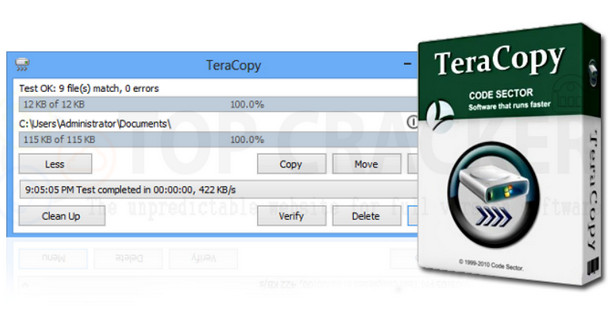
TeraCopy is designed to copy and move files at the fastest possible speed. It skips corrupted files during the copy process and then displays them at the end of the transfer so you can see which ones need attention. TeraCopy can automatically check copied files for errors by calculating their CRC checksum values. It also provides much more information about the copied files than its Windows counterpart. TeraCopy integrates with the Windows Explorer context menu and can be set as your default copy manager.
Copy files faster
TeraCopy uses dynamically adjusted buffers to reduce seek times. Asynchronous copying speeds up file transfers between two physical hard drives.
Take a break and then resume file transfer activities.
Interrupt the copying process at any time to free up system resources and continue with a simple click.
Resumption of error
In the event of a copy error, TeraCopy will repeatedly attempt to recover and, in the worst case scenario, will simply ignore the file, not terminating the entire transfer.
Interactive File List
TeraCopy shows failed file transfers and allows you to fix the problem and copy only the problematic files.
Shell integration
TeraCopy can completely replace the Explorer copy and move functions, in turn allowing you to work with files as usual.
Full Unicode support.
Windows 8 x64 support.
TeraCopy Pro
The paid version of the program includes the following features:
Copy/move to your favorite folders.
Save reports as HTML and CSV files.
Select the files with the same extension / folder.
Remove the selected files from the copy queue.
More features coming soon!
Configuration:
Windows: XP, Windows Vista, Windows 7, Windows 8, Windows 8.1./10
RAM: 256 MB
Processor: Pentium clocked at 500 MHz.
Hard Drive: 10 MB of free space.
Facility:
1) Install the software.
2) Copy the "winmm.dll" file into the parent folder of the Teracopy installation.
- Language: English
- Size: 4.9 MB
This article was updated on August 19, 2016