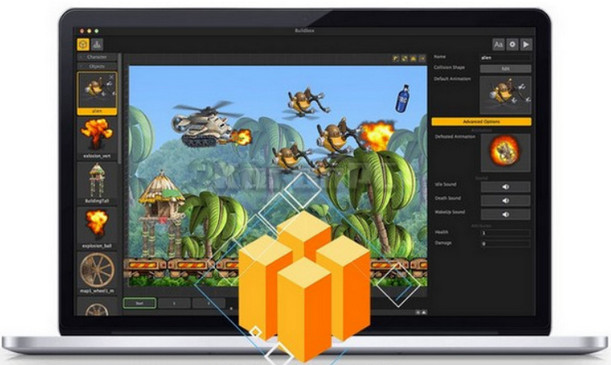
With Buildbox, the goal was simple: to design the ultimate game engine that would allow anyone to make a video game. No coding or programming skills are required. All the tools you need to create your game are included in the software.
Buildbox is not only accessible to everyone, but it has also enabled the creation of hit games like Color Switch, Damn Daniel, and The Line Zen. In fact, since Buildbox's release, we've seen more successful games created with Buildbox in the App Store's top 100 than with all other game engines combined.
Creating games with Buildbox is as easy as giving a PowerPoint presentation. It only takes a second to add a new character, enemy, item, platform, effect, or scenery to your game. Simply drag and drop the image into the level editor.
Because of its design, Buildbox is intuitive. Anyone can use it. Unlike other development tools, you don't need to be a Silicon Valley engineer to use it. Buildbox is popular with anyone who enjoys games.
Configuration:
System: Windows 7 to Windows 10
Processor: Core 2 Duo
RAM: 1 GB
Facility:
1. Install Buildbox 2 and its export modules.
2. Copy "Buildbox2Loader.exe (x86 or x64)" and "Qt5Network.dll" into the installation directory.
3. Copy "main.iblicense" to C:\Users\YOUR_NAME\AppData\Local\eightcell\Buildbox\com.eightcell.buildbox
3. Add these 3 lines to the host file Windows (C:\WINDOWS\system32\drivers\etc\hosts)
127.0.0.1 https://api.buildbox.com/app/v3/verify
127.0.0.1 https://api.buildbox.com/
127.0.0.1 api.buildbox.com
4. To launch Buildbox, run "Buildbox2Loader.exe" as administrator.
- Language: English
- Size: 252.78 MB
This article was updated on August 22, 2016