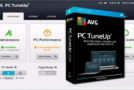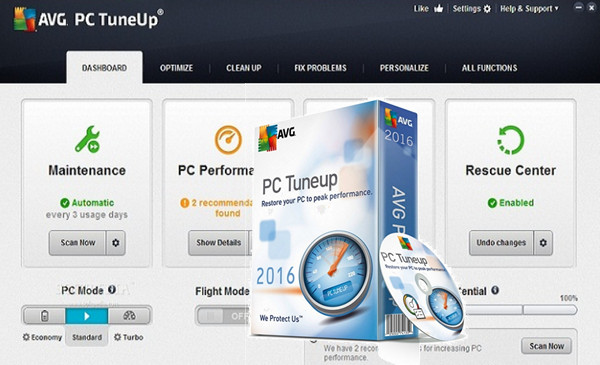
The most powerful cleaning: the new version of AVG PC TuneUp® to improve the speed, cleanliness and longevity of your PC.
It can now clean 200 PC applications, your iPhone® and your iPad®
– Automatic maintenance: Cleans and tunes your PC automatically.
– Program Deactivator: Prevent unused programs from slowing you down
– Real-time optimization: Defines process priorities for optimal performance
– Airplane Mode: Longer battery life on the go
– Automatic updates: It constantly improves its cleaning algorithms
Scalable optimization and maintenance
– Improved Disk Cleaner: Now cleans over 200 PC programs
– Improved Duplicate Finder: Removes hidden duplicate files
– Cleaner for iPhone and iPad: Erase unwanted data from your iPhone®, iPad® or iPod touch®
Configuration:
Windows: 10, 8, 7 (32/64 bit)
CPU: 1 GHz (32-bit or 64-bit).
RAM: 1 GB or more of RAM (2 GB is recommended).
HDD: 500 MB
Facility:
Method 1 : Installing online from the source will ensure your files are up to date. You risk nothing because you'll be installing the 30-day trial version.
1. Launch Setup_online_AVG_PCTuneUp_879.exe, leave your connection open so that the installation can download the updated files.
2. Once the installation is complete, launch AVG TuneUp
3. Open the Keygen and generate a key or copy a license key into key.txt
4. Help and support. Click on Activate product, enter a fake name and paste your key
Method 2 : In case the online installation fails with the license key
1. Disconnect from the internet.
2. Install the Application (32 or 64 Bits).
3. Finish.
4. Launch AVG PC TuneUp, go to Help.
5. Open the Keygen and generate a key.
6. Help and support. Click on Activate product, enter a fake name and paste your key.
7. Reconnect to the internet.
- Language: French / Multilingual
- Size: 215.5 MB
This article was updated on September 3, 2016