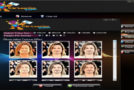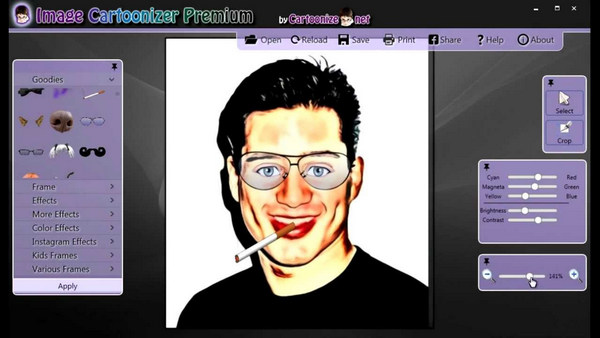
Image Cartoonizer Premium is a drawing tool to convert your best photos into cartoons. The app is designed with tools and techniques to transform images into animated drawings. The app not only cartoonizes your photos but also adds amazing effects like face morphing. You can also add unique accessories such as helmets, glasses, monocles, mustaches, beards, horns, rims, and even smiley faces… Unique!
There are many filters available in Image Cartoonizer Premium, so you can convert your photo to many new cartoon, vintage, Instagram look effects… you can also add dynamic contrast and brightness to your images.
Use :
– Use our software to illustrate your book, your website, or to create personalized coloring pages for your children.
– Replace this avatar cookie forum with an actual comic strip of yourself.
– So that people know what you look like without giving them your photo.
– Cartoons: Turn your friends, your dog, your house, your neighborhood into "cartoons"...not forgetting the celebrities and politicians that you won't be able to miss with this application.
– Make fantastic gifts for your friends and colleagues. They'll look great on T-shirts and mugs too.
– Fun and addictive. It's also intuitive and very easy to use. You don't need any artistic skills, no drawing is required.
Features :
– Over 250 effects available: Cartoon effects, color effects, Instagram effects… cartoonize your personal photos and images directly from your desktop.
– Convert faster and with high quality. Convert large photos for the best results.
– Cropping function to remove unwanted parts of an image.
– Edit your photos and add much more.
– Share your converted photo directly on your Facebook.
– Print your converted image from the software.
– Cartoonize your photo without a watermark. No other program or standalone software required. No internet connection needed.
Configuration:
– Windows: 8, 7, Vista, XP, 2000, 98 (x86, x64)
– CPU: 350 MHz or more
– RAM: 512 MB
– HDD: 90 MB
Facility:
– Run “ImageCartoonizePremium_Setup”.exe and install,
– At the end of the installation, uncheck "launch app" and then close.
– Run the keygen “ImageCartoonizer_VB”.exe and generate a key,
– Run “Password”.reg (double-click) and accept
- Language: English
- Size: 51.4 MB
This article was updated on September 10, 2016