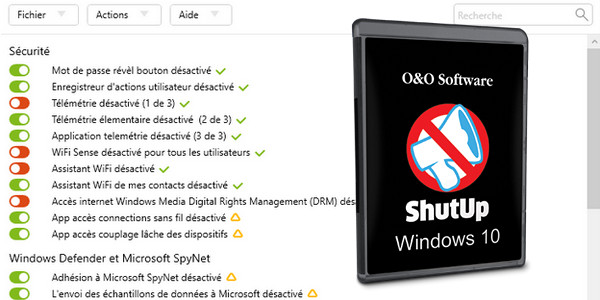
Since its official release, Windows 10 has been at the center of a controversy regarding user privacy. Indeed, during the installation of Microsoft's new operating system, a number of settings designed to collect user data are also activated on your machine.
O&O ShutUp10 means you have absolute control over the convenience features you want to use under Windows 10.
You can therefore decide when your data transmission goes too far. Thanks to a very simple interface, you control how Windows 10 respects your privacy by deciding which unwanted features should be disabled.
O&O ShutUp10 is completely free and requires no installation – it can be managed directly and immediately on your PC.
More control over your operating system:
– Adjust your security settings
– Protect your privacy
– Order location services
– Checking for Windows updates
– Do not transmit your user data and diagnostics
For what ? Windows 10 aims to provide the best possible user experience. However, it very rarely requires users to read and confirm a security notice. Unfortunately, this simplified approach from Microsoft also means that for many users, too much data will be transmitted that they would normally prefer to keep private.
Microsoft uses most of the data to display personalized information to make life easier for the computer. For example, Windows 10 can remind you to leave for the airport 30 minutes earlier because of traffic. In order to provide this information, however, Windows 10 needs access to your calendar entries, your emails (i.e., the flight confirmation email), your current location, and it needs internet access to get traffic updates.
Some services keep a log of all your keystrokes. They also share your Wi-Fi access data with your Facebook contacts or connect your computer to a public—and potentially unsecured—network without your permission. While this means you and your contacts don't have to worry about complex Wi-Fi passwords, a significant security risk arises.
Decide for yourself how much your "comfort" matters to you compared to your privacy and its protection. O&O ShutUp10 presents all the important settings in one place – no prior computer knowledge or manual changes to Windows 10 system settings are required.
O&O ShutUp10 is completely free and requires no installation – it runs directly on your PC immediately. And unlike so many other free programs, it won't install or download any unwanted or unnecessary software onto your system!
Configuration:
– Windows 10
– Intel Pentium 4 1GHz processor
– 512 MB RAM
– Hard drive with 30 MB of free space
Facility:
For a computer with Intel x86 x64
– Run: OOSU10.exe
- Languages: French/Russian/Italian/German
- Size: 657.7 KB
This article was updated on March 2, 2021