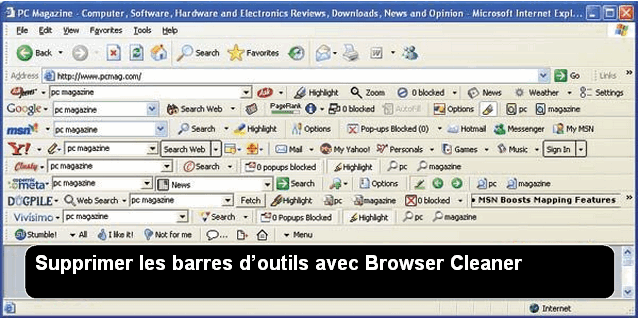
If you have the bad habit of constantly installing software to test it, you must have a browser also loaded with toolbars.
Indeed, some software automatically installs... toolbar on your Chrome or Firefox browser without asking for your permission and even if that is the case, it may happen that you do not read all the installation steps (by clicking on the Next button out of habit).
Fortunately, to eradicate these nasty things, sometimes not found in the uninstallation module of the control panel, there is Browser Cleaner.
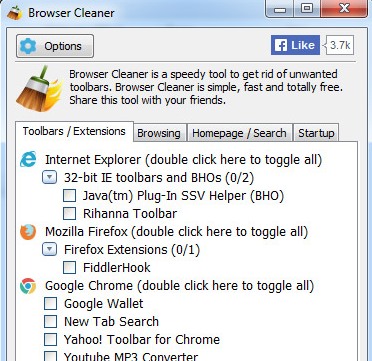 Browser Cleaner recognizes most advertising toolbars in Internet Explorer, Firefox and Chrome; simply check the boxes to remove them.
From the moment of its execution, Browser Cleaner detects the browsers present on your computer as well as all toolbars attached to allow for quick cleaning.
Browser Cleaner is free and available in French with a clear interface that makes it accessible to all users.
This article was updated on August 10, 2021